키움증권 영웅문S#-대표MTS(국내/해외주식,계좌개설)


키움증권 영웅문S#-대표MTS(국내/해외주식,계좌개설) Summary
키움증권 영웅문S#-대표MTS(국내/해외주식,계좌개설) is a mobile Android app in Finance by Kiwoom Securities Co., Ltd.. Released in Mar 2022 (4 years ago). It has about 5.3M+ installs and 7.6K ratings with a 3.14★ (mixed) average. Based on AppGoblin estimates, it reaches roughly 272.7K monthly active users . Store metadata: updated May 13, 2026.
Recent activity: 58.9K installs this week (117.1K over 4 weeks) showing below average growth , and 37 new ratings this week View trends →
Store info: Last updated on Google Play on May 13, 2026 .
3.14★
Ratings: 7.6K
Screenshots

App Description
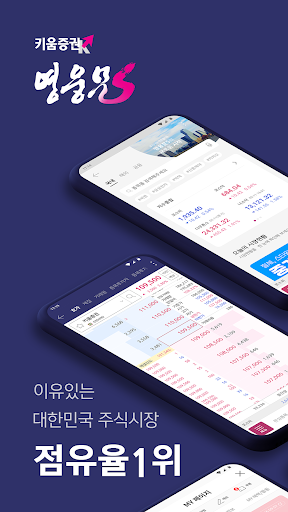
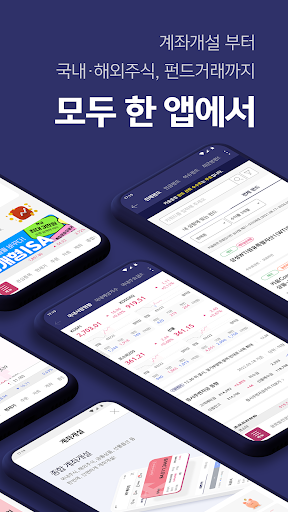
Kiwoom Securities has ranked first in the Korean stock market for 21 consecutive years. Everything from account opening to domestic and foreign stocks, financial products, and AI asset management is available in one app.
[Tradable products]
Domestic stocks: stocks, ETFs, ELWs, ETNs, warrants, KONEX, K-OTC
Overseas stocks: stocks in the US, China, Hong Kong and Singapore
Financial products: funds, pensions, ELS, bonds. RP, ISA, WRAP
AI asset management: Qi GO
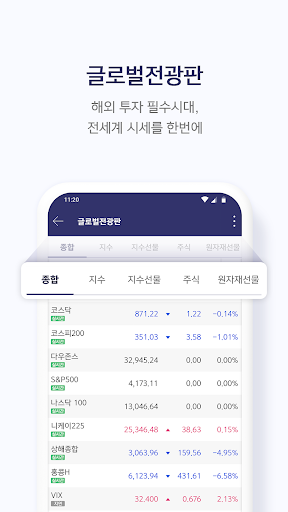
■ Global market prices at once
- Global display board: check major overseas indices at once
- Market synthesis: domestic market, overseas market, exchange rate, crude oil price inquiry
■ Powerful chart function
- Provides HTS level chart function
-Signal search, financial charts, your own mathematical indicators
■ Items of interest
- Search domestic stocks and overseas stocks in one item of interest
- It is possible to check characteristic stocks such as soaring stocks and stocks with high trading volume
■ Condition search, real-time condition search
- You can write your own conditional search formula easily
- Performance verification provides basic, real-time condition search function
■ Category Home
- Provides performance information, related items, related themes, and item issues
■ MY page
- My own information such as MY assets, account information, and various benefits in one place
■ Convenient menu editing
-Quick Menu: Frequently used screens can be registered in the quick menu
- As I like: Provides user menu editing function
■ Ticker
- Domestic and overseas index automatic change function, real-time search ranking items display
■ Various skin settings
- Provides comfortable dark mode even in dark places
[Installation and Update Guide]
If installation or update through the Play Store is not smooth, please proceed as follows.
Method 1: Reset Play Store data
- Samsung phone: Settings> Applications> Select Google play store> Select storage> Delete data
-LG phone: Settings> Apps> App information> Select Google play store> Select storage> Clear data
- Install or update from the Play Store
Method 2 : Manual installation
- After selecting the URL below, download the installation file and install manually
- http://download.kiwoom.com/mts/HeroS1.apk
(Proceed to allow only once when asking whether to allow “apps from unknown sources” during installation)
- When downloading, if the extension name is downloaded as “*.zip”, change it to “*.apk” and proceed with the installation after downloading.
[System Requirements]
Android version 6.0 or higher