Light Manager 2 - LED Settings


Light Manager 2 - LED Settings Summary
Light Manager 2 - LED Settings is a ad-supported, with in-app purchases Android app in Productivity by RagmyAI.com. Released in Apr 2019 (6 years ago). It has about 898.1K+ installs and 2.3K ratings with a 2.64★ (poor) average. Based on AppGoblin estimates, it reaches roughly 29.4K monthly active users and generates around $<10K monthly revenue (73% IAP / 27% ads). Store metadata: updated Apr 5, 2019.
Recent activity: 25.1K installs this week (43.9K over 4 weeks) showing exceptional growth , and -1 new ratings this week View trends →
Store info: Last updated on Google Play on Apr 5, 2019 .
2.64★
Ratings: 2.3K
Screenshots

App Description
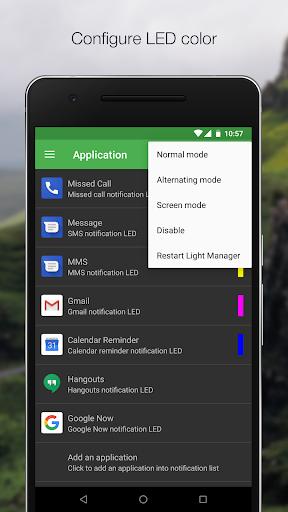
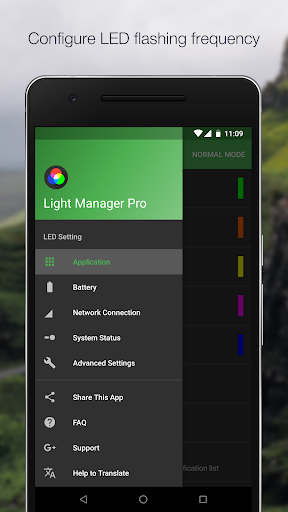
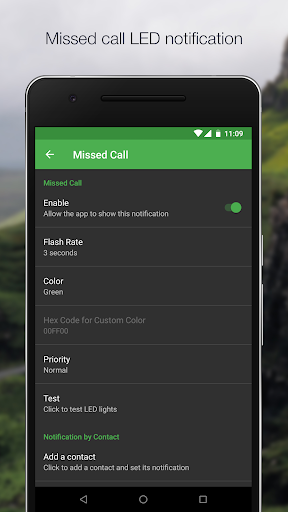
Configure LED color and its flashing frequency for notifications
Configure LED color and its flashing frequency for notification as shown below:
- Miss call
- SMS
- MMS
- Gmail
- Calendar reminder
- Hangouts
- Email
- Facebook
- Facebook Messenger
- Twitter
- WhatsApp
- BBM
- LINE
- GO SMS Pro
- Handcent SMS
- chomp SMS
- Textra SMS
- Verizon Messages
- Any 3rd party apps
- Low battery
- Battery charging
- Battery charged
- No signal
- Roaming
- No 3G/4G
- No Wifi
- Airplane Mode On
- Silent Mode On
- Vibration Mode On
- Ringer Mode On
- Mobile Data On
- Wifi On
- Wifi Hotspot On
- GPS On
- Bluetooth On
- NFC On
There are three operating modes:
1) Normal Mode - Only LED color for the first notification will be flashing
2) Alternating Mode - A few LED colors will be flashing alternately when multiple notifications are received
3) Screen Mode - Notifications alert will be shown on screen (For those devices without a physical notification LED, only available for Android 4.3 and above)
You may go to the test section to test whether this app works for your device.
For supported devices list and FAQ, you may go to the link below:
https://docs.google.com/document/d/1t26evGufoC4Fha1Vjyho1cgBKHY6MLJGBPHcsGKZVLc/edit