Data Manager-Data Usage


Data Manager-Data Usage Summary
Data Manager-Data Usage is a ad-supported Android app in Tools by VNK Soft. Released in May 2023 (3 years ago). It has about 571+ installs Based on AppGoblin estimates, it reaches roughly 81 monthly active users and generates around $<10K monthly revenue (0% IAP / 100% ads). Store metadata: updated Jan 12, 2024.
Recent activity: 3.00 installs this week (11 over 4 weeks) showing steady growth View trends →
Store info: Last updated on Google Play on Jan 12, 2024 .
0★
Ratings: 0
Screenshots


App Description
This app is one of the best apps that can help to manage data usage.
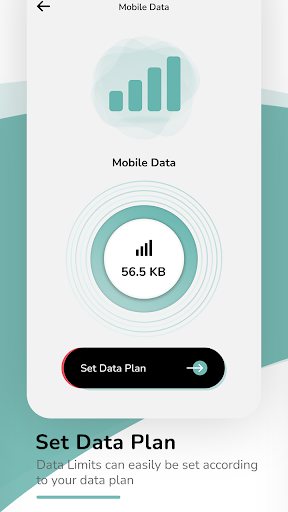
Data Manager-Data Usageapp helps to track your data usage so you know how much data you can use. In this, you can control your mobile data plans and roaming data by setting the data limit. By this, you can prevent rising mobile data costs, and avoid overage and roaming fees.
In Wifi data, you can see today's usage and forecast usage of Wifi data.
In My Plans, you can easily see all your data plans that you have set up for mobile data and roaming data. You can also delete set plans from it.
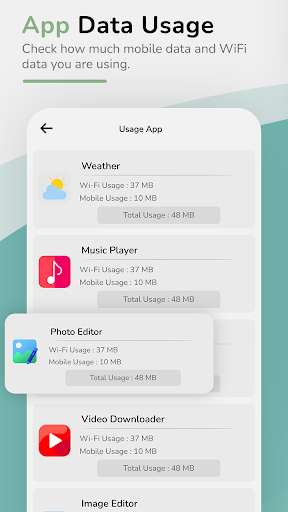
In app usage, you will see how much total data is consumed by the app. In this, you get the detail of the data usage for every app by the wifi and mobile data.
History: In History, you can view the data usage for today, week, and month in the form of graphs.
In thisData Manager-Data Usage app help to set custom usage alarms that avoid overage charges while you browse or the possibility of running out of data.
Main Features:
• Super-simple setup and friendly support.
• Monitor your data usage on mobile, Wi-Fi, and roaming.
• Get alerts before you reach your data limit.
• Get data usage in charts.
• Set up daily data limits.
• Set up the roaming data limits.
• Monitor both mobile and Wifi data usage.
• Real-time shows how much the app used data.
• Check how much is used for Mobile data and WiFi data.
• Enable the alarms.