Multifocus camera


Multifocus camera Summary
Multifocus camera is a mobile Android app in Photo And Video by Ignislab ltd. Released in Apr 2024 (2 years ago). It has about 3.7K+ installs and 48 ratings with a 2.83★ (poor) average. Based on AppGoblin estimates, it reaches roughly 176 monthly active users . Store metadata: updated May 4, 2024.
Recent activity: 100 installs this week (299 over 4 weeks) showing steady growth , and 2.00 new ratings this week View trends →
Store info: Last updated on Google Play on May 4, 2024 .
2.83★
Ratings: 48
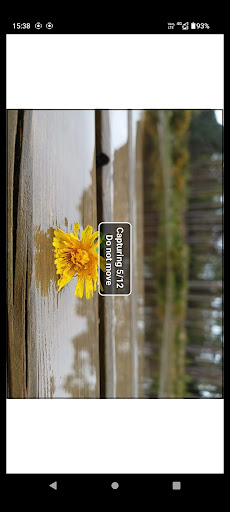
Screenshots



App Description
Take photos with every element in focus. Integrates focus stacking, image fusion
This app is not a regular multi-functional camera app, its specific purpose is capturing photos with every element in focus, making it simple to employ a Photography technique known as focus stacking, which regular camera apps don't have.
Regular camera apps focus on a specific point of interest within a scene, which suffices for most everyday images. However, in scenarios with significant depth variation, you'll notice that while the foreground is in focus, the background often blurs. This is evident if you point a standard camera app at a close object, the camera app will auto-focus on the object, but the background will not be in focus.
Multifocus camera addresses this limitation by capturing a sequence of photos at varying focus settings. It then employs automatic focus-stacking algorithms to combine these images into a single composite photo. The process known as focus-stacking is commonly practiced by photographers using standard cameras rather than smartphones, with post-processing done on desktop computers. This App attempts to hide the complexity and combines the multiple steps of the process into 1 button. While this method demands a little more patience than snapping a photo with a regular camera app, under certain conditions of depth variation, it enables you to capture photos on your smartphone that would otherwise be unachievable with regular camera apps due to hardware constraints and optical limits.