Moonlight Game Streaming


Moonlight Game Streaming Summary
Moonlight Game Streaming is a mobile Android app in Entertainment by Cameron Gutman. Released in Mar 2014 (12 years ago). It has about 4.6M+ installs and 15.6K ratings with a 4.41★ (good) average. Based on AppGoblin estimates, it reaches roughly 98.2K monthly active users . Store metadata: updated Feb 25, 2024, version 314.
Recent activity: 18.9K installs this week (60.1K over 4 weeks) showing steady growth , and 16 new ratings this week View trends →
Data tracking: SDKs and third-party integrations were last analyzed on May 11, 2026. The app's network data flows (API traffic to/from the app and its SDKs) were last crawled on May 1, 2026.
Store info: Last updated on Google Play on Feb 25, 2024 (version 314).
SDKs, Trackers & Permissions
Moonlight Game Streaming was last scanned for SDKs 2026-05-11. Below is the overview of third party companies detected in the app. The full list of raw SDKs, app permissions and unknown SDKs is available here.
AppGoblin saw Moonlight Game Streaming uses 2 Development Tools
 Square
 BouncyCastle
App Details
App Store
Ads & App-Ads.txt
AppGoblin SDK Scans
4.41★
Ratings: 15.6K
Screenshots
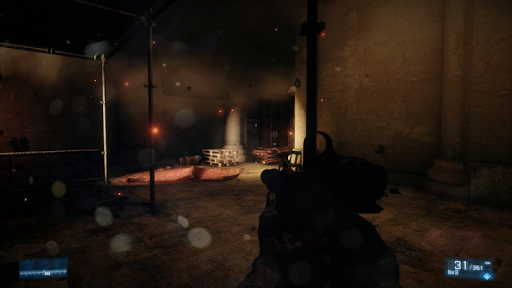
App Description
Play games from your PC on Android
This app streams games, programs, or your full desktop from a PC on your local network or the Internet running NVIDIA GeForce Experience (NVIDIA-only) or Sunshine (all GPUs). Mouse, keyboard, and controller input is sent from your Android device to your PC.
Streaming performance may vary based on your client device and network setup. HDR requires an HDR10-capable device, a GPU that can encode HEVC Main 10, and HDR10-enabled game. Games that use DXGI/OS HDR also require an HDR display connected to your host PC.
Features
• Open-source and completely free (no ads, IAPs, or "Pro")
• Streams games purchased from any store
• Works on your home network or over the Internet/LTE
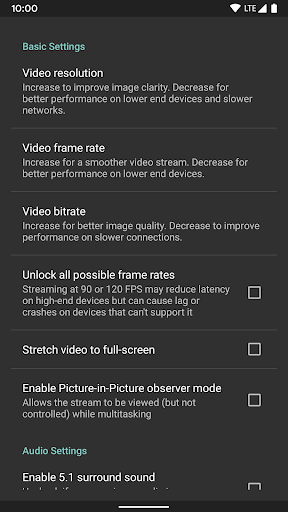
• Up to 4K 120 FPS HDR streaming with 7.1 surround sound
• H.264, HEVC, and AV1 codec support (AV1 requires Sunshine and a supported host GPU)
• Keyboard and mouse support (best with Android 8.0 or later)
• Stylus/S-Pen support
• Supports PS3/4/5, Xbox 360/One/Series, and Android gamepads
• Force feedback and gamepad motion sensor support (Android 12 or later)
• Local co-op with up to 16 connected controllers (4 with GeForce Experience)
• Mouse control via gamepad by long-pressing Start
Quick Setup Host Instructions for GeForce Experience (NVIDIA-only)
• Make sure GeForce Experience is open on your PC. Turn on GameStream in the SHIELD settings page.
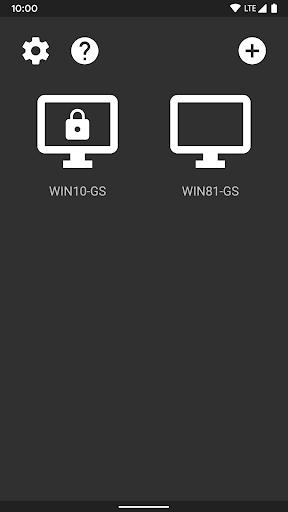
• Tap on the PC in Moonlight and type the PIN on your PC
• Start streaming!
Quick Setup Host Instructions for Sunshine (all GPUs)
• Install Sunshine on your PC from https://github.com/LizardByte/Sunshine/releases
• Navigate to the Sunshine Web UI on your PC for first-time setup
• Tap on the PC in Moonlight and type the PIN in the Sunshine Web UI on your PC
• Start streaming!
To have a good experience, you need a mid to high-end wireless router with a good wireless connection to your Android device (5 GHz highly recommended) and a good connection from your PC to your router (Ethernet highly recommended).
Detailed Setup Instructions
See the full setup guide https://bit.ly/1skHFjN for:
• Adding a PC manually (if your PC is not detected)
• Streaming over the Internet or LTE
• Using a controller connected directly to your PC
• Streaming your full desktop
• Adding custom apps to stream
Troubleshooting
A detailed troubleshooting