Floating Map & Navigation


Floating Map & Navigation Summary
Floating Map & Navigation is a ad-supported, with in-app purchases Android app in Maps And Navigation by Little Angel. Released in Apr 2023 (3 years ago). It has about 9.2K+ installs Based on AppGoblin estimates, it reaches roughly 1.1K monthly active users and generates around $<10K monthly revenue (53% IAP / 47% ads). Store metadata: updated Dec 10, 2025.
Recent activity: 122 installs this week (625 over 4 weeks) showing steady growth View trends →
Store info: Last updated on Google Play on Dec 10, 2025 .
0★
Ratings: 0
Screenshots

App Description
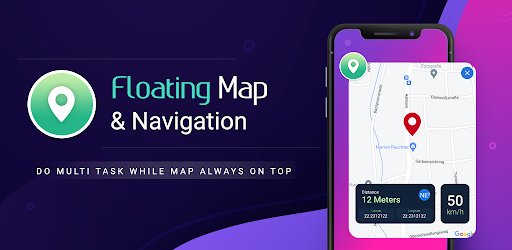
Get route navigation on a floating window with all map details.
Use map route on a floating window with all other information like, latitude, longitude, distance, current speed of your travel, direction, etc. And use other apps while getting your map view on floating window. Resize or move your floating map screen anywhere on your phone screen.
App Features:
1. Floating Map
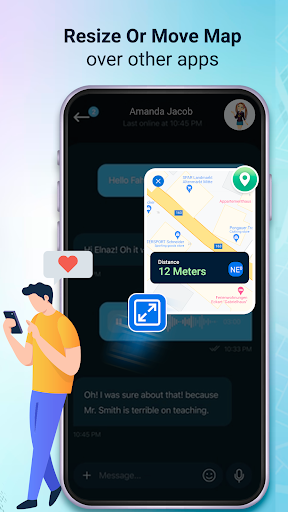
- Show map as floating window which is always on top of other apps.
- Resize & move floating window for easy view.
- Floating map shows latitude, longitude, distance, current speed, altitude & direction on the map.
2. Location Finder
- Show current location in the map.
- Also share & copy its location.
3. Route Finder
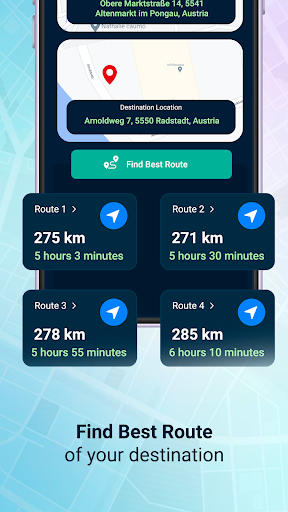
- Find best route between 2 locations.
4. Place Navigation
- Get your route & navigation within the app itself.
- Convert this navigation or route to window into floating window.
5. Settings
- User can Hide/Show Latitude, Longitude, Distance, Current Speed & Direction on floating map.
- Select
- Map type (satellite /hybrid, normal, terrain)
- Speed Unit (km/hr or miles/hr)
- Altitude Unit (feet / meters)
Permission :
System Alert Window & Action manage overlay permission : We use this permissions for the core feature of this app, to create a floating map & navigation window, so that user can use other apps while this window stay over above other apps.