Live Earth - 3D View


Live Earth - 3D View Summary
Live Earth - 3D View is a ad-supported Android app in Tools by Tech Tricks App. It has about 778.9K+ installs Based on AppGoblin estimates, it reaches roughly 71.4K monthly active users and generates around $<10K monthly revenue (0% IAP / 100% ads). Store metadata: updated May 15, 2026.
Recent activity: 11.2K installs this week (47.3K over 4 weeks) showing below average growth View trends →
Store info: Last updated on Google Play on May 15, 2026 .
0★
Ratings: 0
Screenshots



App Description
3D Earth launcher with Live Weather, Compass & Quick Tools.
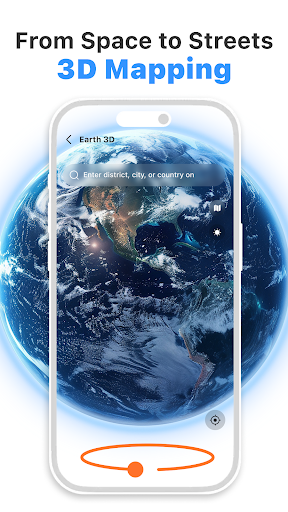
Live Earth - 3D View is a launcher app that replaces your default home screen with an interactive globe-based interface and integrated map and utility tools.
Interactive Earth & Mapping Features
Global Imagery
View Earth imagery and street-level scenes where available.
3D Map Navigation
Move from a world map perspective to supported street-level views using 3D map features.
360° View Access
View 360-degree panoramic imagery for selected major landmarks and places.
Integrated Daily Utilities
Weather Information
Access weather information to make daily planning and coordination easier.
Wallpapers and Home Screen Customization
Discover wallpaper categories like nature, landscapes, abstract visuals, and map-based styles. You can choose supported wallpapers to customize your launcher home screen or device background.
Compass
Use direction and orientation tools while exploring places.
World Clock
View time across multiple selected time zones.
Currency Converter
Check exchange rate information for travel and everyday reference.
Translator
Translate text to support communication across languages.
Technical Information
This application operates as an Android home screen replacement launcher.
Your installed apps and device data remain available on your device.
You can restore or change your default launcher at any time through device settings.
Permissions and Privacy
Internet access is used for map imagery, weather data, and utility tool information.
Location access is used for compass features, local weather, and relevant geographical information.
For technical support or inquiries, contact techtricks.apps@gmail.com.