Gesture Lock Screen: Draw Lock

Gesture Lock Screen: Draw Lock Summary
Gesture Lock Screen: Draw Lock is a ad-supported Android app in Personalization by YakinGlobal. Released in Jan 2026 (5 months ago). It has about 712.9K+ installs Based on AppGoblin estimates, it reaches roughly 9.5K monthly active users and generates around $<10K monthly revenue (0% IAP / 100% ads). Store metadata: updated Jan 9, 2026.
Recent activity: 977 installs this week (4.5K over 4 weeks) showing steady growth View trends →
Store info: Last updated on Google Play on Jan 9, 2026 .
3.48★
Ratings: 0
Screenshots



App Description
Lock screen drawing app for security with gesture lock and pin lock screen!
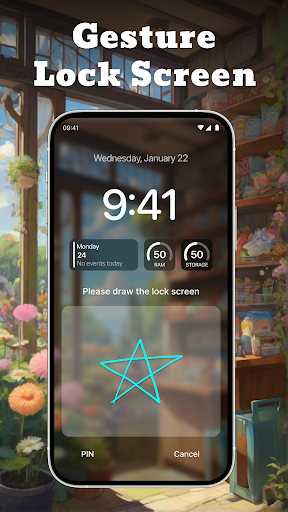
Gesture Lock Screen: Draw Lock is a screen lock app that allows you to unlock your phone using a unique gesture. Instead of using a PIN or pattern, you can draw a shape, letter, or symbol as your password. This provides a simple and personalized way to secure your device.
The app offers different lock options, including gesture, PIN, and pattern, so you can choose what works best for you. It also comes with customization features, allowing you to change gesture colors, set wallpapers, and add widgets to the lock screen.
Keyfeature of the lock screen drawing app:
🔒 Create a gesture lock by drawing any shape, letter, or signature to secure your phone. This makes unlocking quick and personalized.
📌 Use a PIN or pattern as an alternative lock method. If you prefer a numeric or dot-based password, these options are available.
🎨 Customize your gesture lock with different colors. Choose a color that matches your style.
🕒 Use the current time password feature. Your lock screen password changes automatically based on the current time for added security.
🎭 Apply themes and wallpapers to personalize your lock screen. Pick from a variety of backgrounds to make your phone unique.
📅 Add widgets for quick access to useful information like time, date, and calendar.
Gesture Lock Screen: Draw Lock provides a simple and flexible way to protect your phone. With different lock options and customization features, you can choose what suits you best.
Download now and set up a gesture lock for a secure and personalized unlocking experience.