Lingoes Dictionary


Lingoes Dictionary Summary
Lingoes Dictionary is a ad-supported, with in-app purchases Android app in Education by TLApps. Released in Dec 2015 (10 years ago). It has about 110.7K+ installs and 2.8K ratings with a 4.55★ (excellent) average. Based on AppGoblin estimates, it reaches roughly 187 monthly active users and generates around $<10K monthly revenue (41% IAP / 59% ads). Store metadata: updated Jun 15, 2024.
Recent activity: 19 installs this week (83 over 4 weeks) showing steady growth , and 1.00 new ratings this week View trends →
Store info: Last updated on Google Play on Jun 15, 2024 .
4.55★
Ratings: 2.8K
Screenshots
App Description
Lingoes is an easy and intuitive dictionary. It offers over 80 languages.
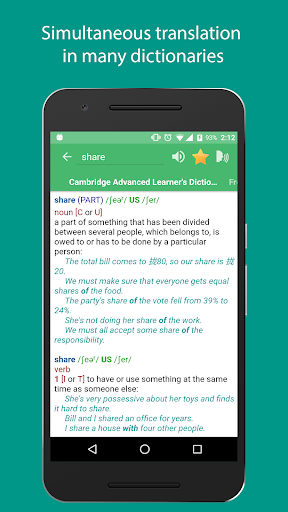
Lingoes is a multi-languages dictionary, it is Offline and Free dictionary. You can import a thousand of Lingoes dictionary(.ld2) with over 80 languages and use many other prominent features. It also support pronunciation from human.
Features:
- Full support Lingoes dictionary file (LD2/LDX) with thousand of free dictionary database.
- Natural Voice Engine: pronunciation audio from human
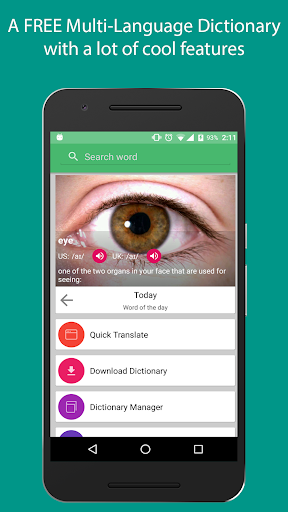
- Word of The Day: learn popular word everyday
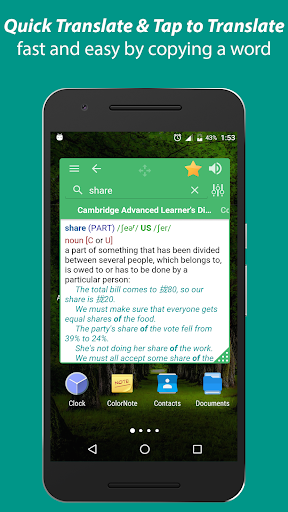
- Tap to Translate: translate a word faster and easier by copy it
- You can look up words easily and quickly even while reading newspaper, email, or document with the Quick Translate Feature. This feature is designed similar to the "Facebook Messenger Chat Head" help users to easily manipulate.
- Word Reminder: it help user learn vocabulary efficiently by send notification about user's words everyday.
- Feature Interactive Pronunciation to help you improve your pronunciation.
- It can manage your dictionaries: import, remove, change priority order, edit dictionary.
- It's fast. It flies when you have a dozen of dictionaries, and can handle hundreds of dictionaries simultaneously fairly well, too.
- The App save your translation history and allow you save your favorite words when you can review your favorite word.
Guide to add more Dictionary:
- First, you need a dictionary database (.ld2 file). You can download from http://goo.gl/BJXs9f or use google to find more.
- Second, go to Dictionary Manager screen and tap "Import" to import new database. Then, choose file from sdcard.
- Third, You need select correct language of the dictionary on Import Dialog to obtain correct pronunciation later.
- Fourth, tap import and waiting a moment.