Watch Droid Phone

Watch Droid Phone Summary
Watch Droid Phone is a ad-supported, with in-app purchases Android app in Communication by Lumatic Software. Released in Aug 2017 (8 years ago). It has about 3.7M+ installs and 12.8K ratings with a 3.99★ (average) average. Based on AppGoblin estimates, it reaches roughly 15K monthly active users and generates around $<10K monthly revenue (25% IAP / 75% ads). Store metadata: updated Jun 18, 2021, version 48.
Recent activity: 70 installs this week (229 over 4 weeks) showing steady growth , and -1 new ratings this week View trends →
Data tracking: SDKs and third-party integrations were last analyzed on Jun 3, 2026. The app's network data flows (API traffic to/from the app and its SDKs) were last crawled on May 3, 2026.
Store info: Last updated on Google Play on Jun 18, 2021 (version 48).
SDKs, Trackers & Permissions
Watch Droid Phone was last scanned for SDKs 2026-06-03. Below is the overview of third party companies detected in the app. The full list of raw SDKs, app permissions and unknown SDKs is available here.
 AdMob
AdMob Google
 Firebase
App Details
App Store
Ads & App-Ads.txt
AppGoblin SDK Scans
3.99★
Ratings: 12.8K
Screenshots


App Description
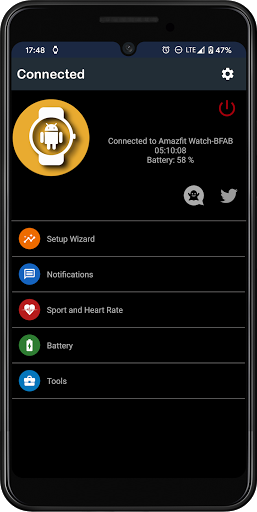
Connect your smartwatch with Android operating system to the phone.
Version for the phone.
Connect your Android smartwatch to the phone to receive notifications from your applications, manage music playback, send files and more.
How does it work:
Install "Watch Droid Phone" on your phone.
https://play.google.com/store/apps/details?id=com.lumaticsoft.watchdroidphone
Install "Watch Droid Assistent" on the smartwatch.
https://play.google.com/store/apps/details?id=com.lumaticsoft.watchdroidassistant
Verify that both devices have bluetooth enabled.
Open "Watch Droid Phone" and follow the steps of the assistant in configuration
Latest versions for smartwatch without Play Store:
http://www.lumaticsoft.com/watch-droid/versions/
Notifications:
After giving permission for the management of phone notifications and selecting the applications that you want to control, you can answer them from the smartwatch.
In the options of the phone application you will have the possibility to modify your predefined answers, delete or add.
If the notification has the possibility of being answered, the button will appear to be able to select one of your predetermined answers, keyboard or voice dictation (if the smartwatch has the possibility).
Music:
In the music option you can:
* Open the default player of your phone.
* Skip the topic, pause or play it.
* Raise or lower the multimedia volume of the phone.
Share files:
* Select the file to send.
* Select the location on your smartwatch.
* Send your file.
Camera control:
*Take a picture
* Change camera from back to front
Notice:
Watch Droid is an independent development of Lumatic Software and is not associated with, or in any way related to, any company.
All visual material shown corresponds to their respective companies and brands, Watch Droid does not contain iconography, designs or logos of any brand in its compilation, everything exhibited was extracted from the information that the different applications publish in the notification bar.