Trigger Task - Automation tool

Trigger Task - Automation tool Summary
Trigger Task - Automation tool is a ad-supported Android app in Tools by Madlab Studios. Released in Jan 2026 (4 months ago). It has about 229+ installs Based on AppGoblin estimates, it reaches roughly 48 monthly active users and generates around $<10K monthly revenue (0% IAP / 100% ads). Store metadata: updated Jan 25, 2026.
Recent activity: 12 installs this week (35 over 4 weeks) showing below average growth View trends →
Store info: Last updated on Google Play on Jan 25, 2026 .
0★
Ratings: 0
Screenshots



App Description
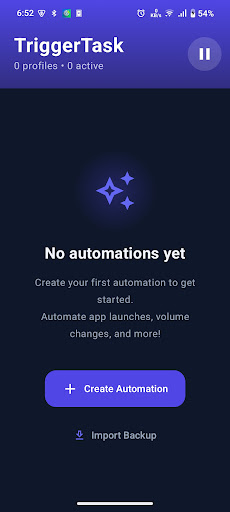
Take control of your Android device with Trigger Task
The privacy-focused automation app designed to make your phone smarter without draining your battery.
Key Features:
Powerful Triggers: Automate actions based on Location (Geofence), Time, Battery Level, Wi-Fi status, Bluetooth connections, Device Shake, and App usage.
Battery Efficient: Our unique "Pulse Mode" tracking ensures your location automations run reliably without killing your battery.
Privacy First: All your data, profiles, and logs are stored 100% locally on your device. We don't upload your personal habits to the cloud.
Simple & Beautiful: A modern, easy-to-use interface makes setting up complex automations a breeze.
What can you do?
Turn on Wi-Fi when you get home.
Silence your phone when you reach the office.
Flash the light when you shake your phone.
Speak a message when the battery is low.
Turn on DND when you launch a game.
Accessibility Service Disclosure: This app uses the AccessibilityService API to provide the following core features:
App Launch Triggers: To detect when you open specific apps (e.g., "Turn on DND when opening a Game"), we monitor window state changes.
Global Actions: To perform system-level actions you configure, such as locking the screen or going Back/Home.
Privacy Note: The Accessibility Service is used strictly for the automation features listed above. No personal user data is collected, stored, or shared. We do not track your keystrokes or screen content.