Maersk Delivery

Maersk Delivery Summary
Maersk Delivery is a mobile Android app in Business by A.P. MØLLER - MÆRSK A/S. Released in Mar 2021 (5 years ago). It has about 2.5K+ installs and 11 ratings . Based on AppGoblin estimates, it reaches roughly 332 monthly active users . Store metadata: updated Jul 17, 2025.
Recent activity: 139 installs this week (205 over 4 weeks) showing exceptional growth View trends →
Store info: Last updated on Google Play on Jul 17, 2025 .
0★
Ratings: 11
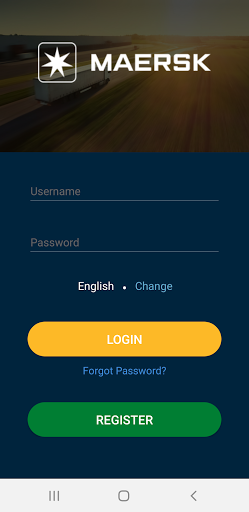
Screenshots


App Description
We digitize the delivery moment, unlock new value for Shippers, 3PLs & Carriers.
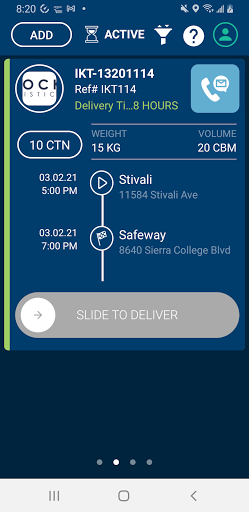
Maersk Delivery app help logistics companies to monitor their goods in transit. Real-time POD submission by utilizing driver's iPhone camera to take POD photos.
Driver can also report overage, shortage, or damaged shipments directly from the app, also to list the service performed when delivering shipment to the consignee.
Consignee also can sign as a prove of receiving the goods without any damages.
Everything is done in easy and simple step by step and guided through the app.
Maersk Delivery app provides real-time shipment tracking and generates geofence events, with features that enhance your experience even when the app is not in the foreground.
To ensure seamless operation, the app uses a foreground service to track your location, allowing uninterrupted functionality even when you’re using other apps or when your device’s screen is off. The foreground service ensures that the app can continue to perform essential tasks while respecting system resources and user experience.
Key Features:
Continuous Operation: Use the app’s core functions even when the app is running in the background.
Battery Efficiency: The foreground service is optimized for minimal battery usage.
Transparent Notifications: The app will display a persistent notification while the service is running in the background, giving you full transparency about its activity.
User Control: You can stop the foreground service at any time via the app’s settings or from the notification.
Why Foreground Service?
The foreground service is required to maintain essential functionality while ensuring a smooth and uninterrupted user experience. We follow Google’s guidelines to ensure compliance with the latest permissions policies.
Privacy & Permissions:
Location: We may request permission to access your location for features like location-based tracking, geofencing. This is used solely to enhance your experience and will not be shared with third parties. This feature will be used only with your permission and can be turned off at any time.
Background Tasks: The app requires permission to run background tasks to provide uninterrupted service.
Notification: A persistent notification will inform you when the foreground service is active.
Follow us
Twitter: @ClockWork
Facebook: ClockWork
LinkedIn: ClockWork