Magic Fluids - 3D Watch Face

Magic Fluids - 3D Watch Face Summary
Magic Fluids - 3D Watch Face is a ad-supported Android app in Personalization by Filmmotion Studio. Released in Sep 2024 (1 year ago). It has about 57.6K+ installs and 378 ratings with a 3.71★ (average) average. Based on AppGoblin estimates, it reaches roughly 4.1K monthly active users and generates around $<10K monthly revenue (0% IAP / 100% ads). Store metadata: updated Feb 13, 2026.
Recent activity: 2.8K installs this week (7.3K over 4 weeks) showing exceptional growth , and 6.00 new ratings this week View trends →
Data tracking: SDKs and third-party integrations were last analyzed on Jan 19, 2025.
Store info: Last updated on Google Play on Feb 13, 2026 .
3.71★
Ratings: 378
Screenshots

App Description
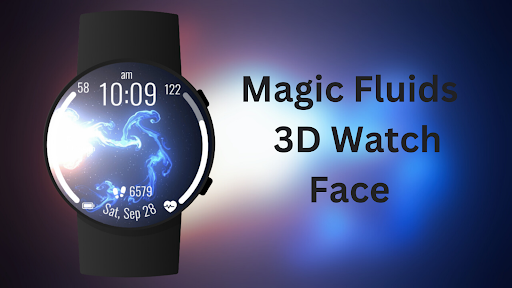
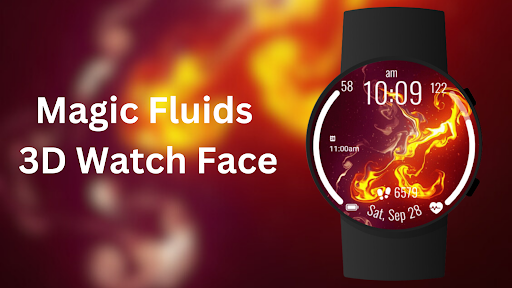
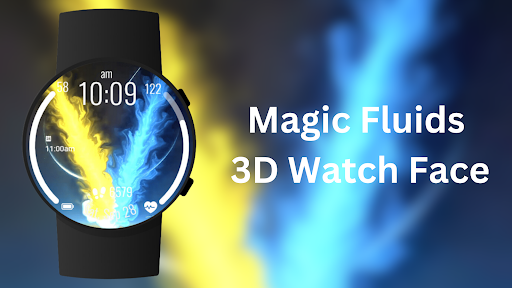
Experience mesmerizing fluid art on your wrist with vibrant 3D watch faces.
Bring your smartwatch to life with the "Magic Fluids - 3D Watch Face" app ! Enjoy stunning fluid motion graphics in 3D, transforming your watch into a work of art. Choose from a variety of dynamic background themes to suit your mood.
Experience mesmerizing fluid art on your wrist with vibrant 3D watch faces. Customizable, dynamic themes and essential health data at a glance.
Magic Fluid Wallpaper App delivers dynamic, fluid art to your screen.
Experience stunning visuals with the Magic Fluids app's flowing designs.
⚙️ Watch Face Features
• Background Themes
• Date, month and day of the week.
• 12/24 Hour Time
• Heart Rate
• Battery %
• Steps Counter
• Customizable Complications
• Color Variations
• Ambient Mode
• Always-on Display (AOD)
• Tap to measure heart rate
• Long tap to customize
🎨 Magic Fluids - 3D Watch Face Customization
1 - Touch and hold display
2 - Tap on Customize option
🎨 Magic Fluids - 3D Watch Face Complications
Touch and hold display to open customization mode. You can customize the field with any data you want.
🔋 Battery
For better battery performance of the watch, we recommend disabling the "Always On Display" mode.
After installing the Magic Fluids - 3D Watch Face , follow these steps:
1.Open the Companion App on your phone.
2.Tap "Install on Watch".
3.On your watch, select the Magic Fluids - 3D Watch Face from your settings or watch face gallery.
Your watch face is now ready to use !
✅ Compatible with all Wear OS devices API 33+ including such as Google Pixel Watch, Samsung Galaxy Watch etc.
Not suitable for rectangular watches.
Note: The Magic Fluid designs are displayed as dynamic wallpapers on the watch face screen and do not feature live touch effects. The fluid motion is visual only,vibrant look without interactive touch functionality."
Thank you !