Magnifier & Magnifying Glass


Magnifier & Magnifying Glass Summary
Magnifier & Magnifying Glass is a ad-supported Android app in Tools by Master786Apps. Released in May 2025 (1 year ago). Store metadata: updated Jun 4, 2025.
Store info: Last updated on Google Play on Jun 4, 2025 .
0★
Ratings:
Screenshots


App Description
Zoom in, adjust brightness, and capture images with Magnifier & Magnifying Glass
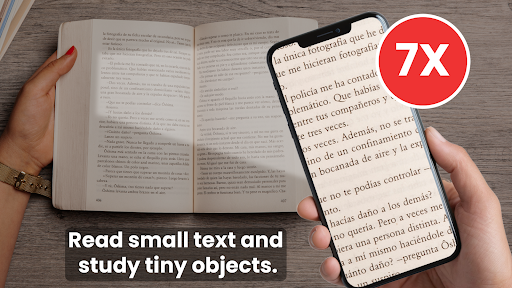
Need help reading small text or examining tiny objects? The Magnifier & Magnifying Glass app turns your phone into a handy digital Magnifier camera. Whether you’re reading a medicine label, inspecting small items, or viewing fine details, this Magnifying glass magnifier ware app provides all the tools you need in one simple interface with Screen magnifier.
The Magnifying camera with powerful zoom, flashlight, freeze, brightness control, and image flip options, this Display Magnifier app makes it easy to view and capture detailed images effortlessly. The Magnifying glass for Android is flawless for everyday use at home, in the office, or on the go with Magnifying glass magnifier ware.
Main Features
1. Magnifying Glass
This Simple Magnifier module helps you view tiny text and objects clearly with a actual magnification preview with Magnifier camera.
• Zoom In/Out: Enlarge small objects or text and smooth zoom control with Display Magnifier.
• Flashlight: Need more light? Use your phone’s flashlight to brighten your view with Screen magnifier.
• Brightness Adjustment: Slide to increase or reduce brightness based on your surroundings with Smart Magnifier & Camera.
• Freeze Frame: Freeze the magnified screen to take a closer look without shaking.
• Flip Option: Switch between front and back camera for flexible viewing and capturing.
• Capture Image: Tap to capture the current magnified view and save it instantly with Magnifying glass magnifier ware.
With Simple Magnifier you’re reading fine print or inspecting something up close, this Magnifying glass for Android tool makes it easy and efficient.
2. Saved Images
All the images you capture through the Smart Magnifier & Camera are stored in this section.
• View Saved Images: Browse all your previously captured magnified images with Magnifying camera app.
• Delete Unwanted Images: Keep your collection organized by removing what you don’t need.
• Share Instantly: Easily share your saved images with others via your favorite apps with Screen magnifier app.
This Magnifying glass for Android helps you keep your important magnified captures in one place for easy access and management.
Why Use Magnifier & Magnifying Glass App?
• Having trouble reading small text or expiry dates?
• Want a digital tool for magnifying documents, receipts, or tiny electronics?
• Need an app