PinPoint: Grid Drawing & more


PinPoint: Grid Drawing & more Summary
PinPoint: Grid Drawing & more is a mobile Android app in Art And Design by martomz studios. Released in Feb 2026 (3 months ago). It has about 98+ installs Based on AppGoblin estimates, it reaches roughly 22 monthly active users . Store metadata: updated Mar 9, 2026.
Recent activity: 9.00 installs this week (22 over 4 weeks) showing steady growth View trends →
Store info: Last updated on Google Play on Mar 9, 2026 .
0★
Ratings: 0
Screenshots


App Description
Accurately map reference image to your physical canvas with pins, grids, and AR.
PinPoint – Grid Drawing, AR Sketch & Precision Drawing Guide
PinPoint is a drawing guide and grid drawing tool designed to help artists accurately transfer reference images onto a physical canvas.
Whether you're practicing grid drawing, creating grid art, or using AR drawing to trace sketches, PinPoint helps you place every detail with confidence.
Instead of guessing proportions or eyeballing placements, PinPoint lets you mark exact points on a reference image using pins. Each pin calculates precise X and Y coordinates, helping you recreate the image accurately on your canvas.
Perfect for artists looking for a reliable grid maker, AR sketch tool, and drawing reference assistant in one app.
🎯 Pin with Precision
Drop pins on key areas of your reference image and instantly know their exact coordinates on your physical canvas.
PinPoint calculates X and Y measurements based on your chosen unit, making it easier to transfer proportions accurately.
Ideal for:
• Portrait drawing
• Realistic sketches
• Large canvas painting
• Grid art projects
• Detailed reference studies
📐 Grid Drawing Made Easy
PinPoint includes powerful grid drawing tools that help break complex images into manageable sections.
Use the built-in grid maker to overlay adjustable grids on your reference image so you can easily recreate it on paper or canvas.
Grid features include:
• Square grids for traditional grid drawing practice
• Diagonal grids for advanced alignment
• Rule-of-thirds grids for composition
• Adjustable grid size and spacing
• Toggle grid overlays
• Built-in rulers for measurement
Perfect for artists learning the grid method for drawing or creating detailed grid art.
🧠 AR Drawing & AR Sketch Preview
PinPoint also includes AR drawing tools to help visualize your reference image on a real surface.
Use AR Sketch Preview to overlay your reference image using augmented reality so you can align and sketch more easily on paper, canvas, or walls.
Great for:
• AR sketch tracing
• Scaling images to larger canvases
• Positioning artwork before drawing
• Practicing AR drawing techniques
📷 Reference Image Tools
• Capture reference images with your camera
• Import images from your gallery
• Supports JPEG, PNG, and WEBP
📍 Precision Tools
Improve drawing accuracy with measurement tools:
• Calculate exact X and Y coordinates
• Convert measurements between units
• Toggle pin markers and labels
• Use pins as alignment anchors
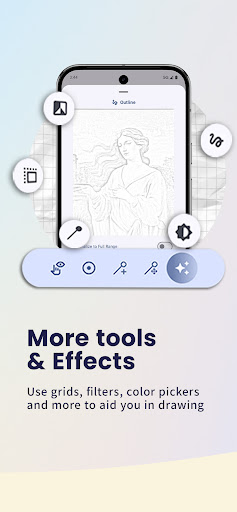
🎨 Visual & Color Tools
Enhance reference images for better drawing clarity:
• Sketch filter for simplified lines
• Black & white mode for value studies
• Brightness and contrast adjustment
• Extract dominant colors
• Built-in color picker
📁 Portfolio & Progress Tracking
Track the progress of your physical artwork.
• Organize projects by canvas or artwork
• Capture progress photos during drawing
• Save completed artwork
• Add notes to each entry
• View projects in list or grid mode
Build a visual timeline of your creative process.
🌍 Language Support
PinPoint supports multiple languages, making the app accessible to artists around the world.
✏️ Draw with Confidence
Whether you're a beginner learning grid drawing, experimenting with AR sketch tools, or a professional refining proportions, PinPoint helps simplify the process.
Use grid drawing, AR drawing, precision pins, and reference tools to improve accuracy while focusing on your creativity.
PinPoint handles the measurements and alignment so you can focus on drawing.
If you have questions or suggestions, feel free to contact us via martomsstudios@gmail.com.
Thank you for supporting PinPoint!