Frequency Sound Generator


Frequency Sound Generator Summary
Frequency Sound Generator is a ad-supported Android app in Tools by mn0728. Released in Jan 2021 (5 years ago). It has about 1.7K+ installs and 14 ratings with a 4.00★ (good) average. Based on AppGoblin estimates, it reaches roughly 94 monthly active users and generates around $<10K monthly revenue (0% IAP / 100% ads). Store metadata: updated Feb 2, 2026.
Recent activity: 9.00 installs this week (37 over 4 weeks) showing below average growth View trends →
Store info: Last updated on Google Play on Feb 2, 2026 .
4★
Ratings: 14
Screenshots


App Description
The frequency generator reproduces a sound consisting of several frequencies
Frequency Sound Generator generates sinusoidal, square, sawn or triangular sound wave with a frequency of 1 Hz to 22000 Hz. Frequency Generator allows you to combine many frequencies and put them in one sound wave.
It produces accurate tone & soundwaves while being simple and easy to use. Add up to 10 different frequencies and create one sound. You can change the fractional frequency values.
Frequency Sound Generator is a stereo player with two sound playing channels. In it you can switch the left or right channels without stopping the sound. Go from stereo to mono sound.
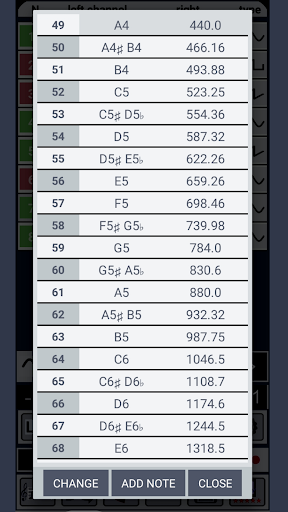
The database has a table of musical notes.
It is possible to record and preserve sound without distortion on your device
Easily adjust the frequency of sound generation by dragging slider. Use buttons - and + for additional configuration accuracy.
You can create and load your own favorite frequency sound presets so you do not have to dial it every time again.
In the settings of the Frequency Generator application, you can choose whether you want the frequency sound to continue to play in the background when you turn the application for playback of the frequency sound.
There are several settings that you can configure to configure the behavior of the Frequency Generator application.
● Change the frequency slider range to ensure greater accuracy when choosing frequencies.
● Change the step of pressing the + / - for even simpler setting.