Metrobank Authenticator


Metrobank Authenticator Summary
Metrobank Authenticator is a mobile Android app in Tools by Metropolitan Bank & Trust Company (METROBANK). Released in Jul 2019 (6 years ago). It has about 146.5K+ installs and 214 ratings with a 3.14★ (mixed) average. Based on AppGoblin estimates, it reaches roughly 6.7K monthly active users . Store metadata: updated Dec 1, 2025.
Recent activity: 4.1K installs this week (5.5K over 4 weeks) showing exceptional growth View trends →
Store info: Last updated on Google Play on Dec 1, 2025 .
3.14★
Ratings: 214
Screenshots

App Description
Multi-factor authentication for MBTC’s e-channels
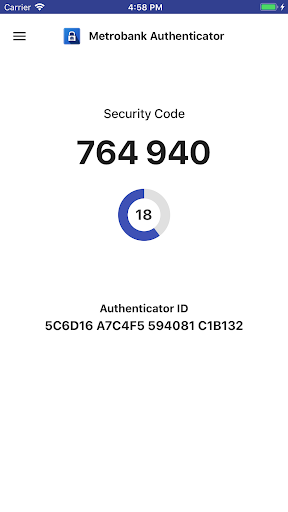
Metrobank Authenticator is a mobile application service to be used for MBTC’s e-channels for multi-factor authentication (OTP) authentication.
It dynamically generate a one-time use PIN code on your mobile device. Use that code along with your username and password.
HOW TO USE:
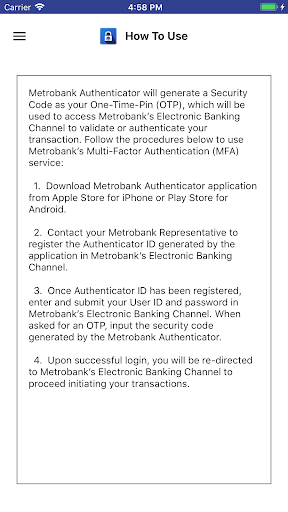
Metrobank Authenticator will generate a Security Code as your One-Time-Pin (OTP), which will be used to access Metrobank’s Electronic Banking Channel to validate or authenticate your transaction. Follow the procedures below to use Metrobank’s Multi-Factor Authentication (MFA) service:
1. Download Metrobank Authenticator application.
2. Contact your Metrobank Representative to register the Authenticator ID generated by the application in Metrobank’s Electronic Banking Channel.
3. Once Authenticator ID has been registered, enter and submit your User ID and password in Metrobank’s Electronic Banking Channel. When asked for an OTP, input the security code generated by the Metrobank Authenticator.
4. Upon successful login, you will be re-directed to Metrobank’s Electronic Banking Channel to proceed initiating your transactions.