Intune Company Portal


Intune Company Portal Summary
Intune Company Portal is a mobile Android app in Business by Microsoft Corporation. Released in Nov 2013 (12 years ago). It has about 71.5M+ installs and 185.1K ratings with a 3.60★ (average) average. Based on AppGoblin estimates, it reaches roughly 3.9M monthly active users . Store metadata: updated Jun 16, 2026, version 8064772.
Recent activity: 458.5K installs this week (1.7M over 4 weeks) showing steady growth , and 204 new ratings this week View trends →
Data tracking: SDKs and third-party integrations were last analyzed on Jun 19, 2026. The app's network data flows (API traffic to/from the app and its SDKs) were last crawled on Oct 3, 2025.
Store info: Last updated on Google Play on Jun 16, 2026 (version 8064772).
SDKs, Trackers & Permissions
Intune Company Portal was last scanned for SDKs 2026-06-19. Below is the overview of third party companies detected in the app. The full list of raw SDKs, app permissions and unknown SDKs is available here.
 Square
 Kotlin
 BouncyCastle
 ReactiveX
 Microsoft
 Firebase
 Google
App Details
App Store
Ads & App-Ads.txt
AppGoblin SDK Scans
3.6★
Ratings: 185.1K
Screenshots


App Description
Get access to your organization’s resources and keep them secure.
The Company Portal provides access to corporate apps and resources from almost any network. Your company must already subscribe to Microsoft Intune, and your IT admin must set up your account before you can use this app.
Features:
• Enroll to access corporate resources
• Browse and install company apps
• View and manage all your enrolled devices
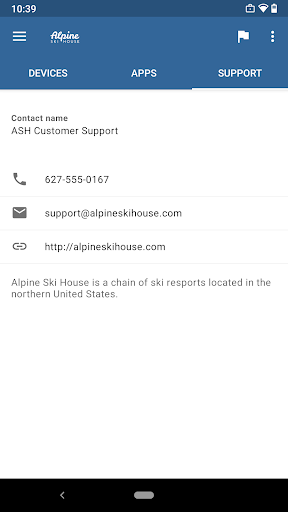
• View IT department contact information
• Change your work account password
• Unenroll or remotely wipe devices
Important: This app requires you to use your work account to enroll in Intune. Some functionality is unavailable in certain countries. If you have issues with this app or questions about its use (including your company’s privacy policy) contact your IT administrator and not Microsoft, your network operator, or your device manufacturer.
https://docs.microsoft.com/Intune/EndUser/using-your-android-device-with-intune
How to uninstall Company Portal:
Before you can uninstall Company Portal, you need to unenroll your device from Intune first. Here are the steps:
1) Follow these directions to unenroll: https://docs.microsoft.com/intune/enduser/unenroll-your-device-from-intune-android
2) Now, you can uninstall Company Portal like you would any other app