FF Launcher: Game Booster


FF Launcher: Game Booster Summary
FF Launcher: Game Booster is a ad-supported Android app in Tools by Minim Dev.. Released in Jan 2024 (2 years ago). It has about 3.1M+ installs and 7.5K ratings with a 4.27★ (good) average. Based on AppGoblin estimates, it reaches roughly 191.9K monthly active users and generates around $<10K monthly revenue (0% IAP / 100% ads). Store metadata: updated Oct 20, 2025, version 18.
Recent activity: 33.6K installs this week (93.6K over 4 weeks) showing steady growth , and 51 new ratings this week View trends →
Data tracking: SDKs and third-party integrations were last analyzed on May 15, 2026.
Store info: Last updated on Google Play on Oct 20, 2025 (version 18).
SDKs, Trackers & Permissions
FF Launcher: Game Booster was last scanned for SDKs 2026-05-15. Below is the overview of third party companies detected in the app. The full list of raw SDKs, app permissions and unknown SDKs is available here.
AppGoblin saw FF Launcher: Game Booster uses 1 Ad Networks
 Google
AppGoblin saw FF Launcher: Game Booster uses 6 Development Tools
 JetBrains
 JetBrains IntelliJ
AppGoblin saw FF Launcher: Game Booster uses 1 Analytics: Product
 Firebase
AppGoblin saw FF Launcher: Game Booster uses 1 Mediation
 AdMob
AdMobApp Details
App Store
Ads & App-Ads.txt
AppGoblin SDK Scans
4.27★
Ratings: 7.5K
Screenshots

App Description
Game Booster is a tool used by players to launch games from one trusted app
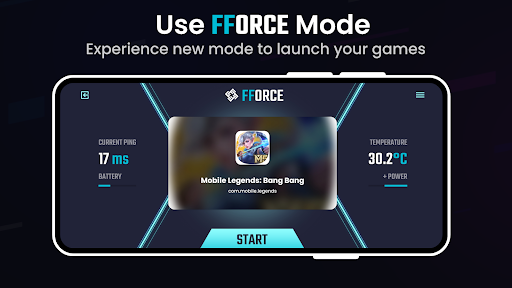
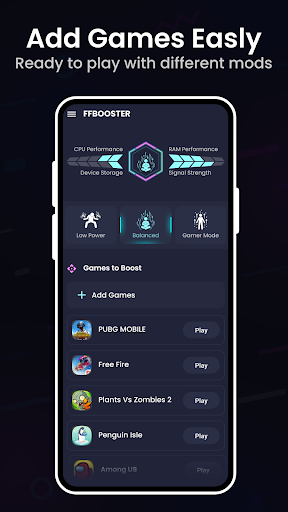
Elevate your gaming experience to new heights with Game Master, the ultimate game booster and launcher app for Android! Game Launcher is Android app that helps you manage your games. It provides a library of your installed games and allows you to launch them from within the app. It also offers three different modes: Low Battery, Balanced, and Gamer Mode.
🚀 Game Launcher:
Say goodbye to the hassle of finding and launching your favorite games. FFBooster's intuitive Game Launcher organizes all your games in one place, allowing you to launch them with a single tap. Easily navigate through your game library and dive into the action instantly.
🎮 Smart Modes for Every Scenario:
Game Master offers three distinct modes tailored to your preferences and requirements
📈 Performance Monitoring:
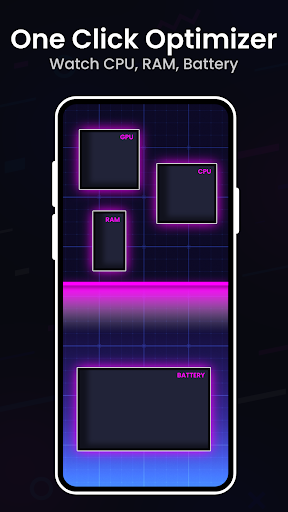
Keep track of your device's performance with real-time monitoring. FF Game Booster provides detailed statistics on CPU usage, RAM utilization, and storage and signal levels, ensuring you always have a pulse on your device's health.
► How to use
• Open FF Booster application
• Select the desired mode
• Click Play button on selected game
• The desired changes are made
• Swipe Launch action
• Completed enjoy the game with better experience
► Crosshair Creator:
• Make your custom crosshair ta use in your shooter games. BOOST your gaming experince.