Storage Analyzer & Disk Usage

Storage Analyzer & Disk Usage Summary
Storage Analyzer & Disk Usage is a ad-supported Android app in Productivity by Mobile Infographics Tools. Released in Jan 2013 (13 years ago). It has about 14.9M+ installs and 114.3K ratings with a 4.40★ (good) average. Based on AppGoblin estimates, it reaches roughly 1.8M monthly active users and generates around $100K+ monthly revenue (0% IAP / 100% ads). Store metadata: updated Aug 28, 2025.
Recent activity: 8.3K installs this week (37.3K over 4 weeks) showing below average growth , and 15 new ratings this week View trends →
Data tracking: SDKs and third-party integrations were last analyzed on Feb 14, 2025.
Store info: Last updated on Google Play on Aug 28, 2025 .
SDKs, Trackers & Permissions
Storage Analyzer & Disk Usage was last scanned for SDKs 2025-02-14. Below is the overview of third party companies detected in the app. The full list of raw SDKs, app permissions and unknown SDKs is available here.
AppGoblin saw Storage Analyzer & Disk Usage uses 2 Mediation
 Yandex
 AdMob
AdMobAppGoblin saw Storage Analyzer & Disk Usage uses 4 Development Tools
 Sentry.io
 Google
 Square
 Kotlin
AppGoblin saw Storage Analyzer & Disk Usage uses 3 Ad Networks
 BidMachine
AppGoblin saw Storage Analyzer & Disk Usage uses 2 Analytics: Attribution
 AppMetrica
 Yandex Metrica
App Details
App Store
Ads & App-Ads.txt
AppGoblin SDK Scans
4.4★
Ratings: 114.3K
Screenshots

App Description
Deep scanning device storage analyzer and disk cleaner in your hands
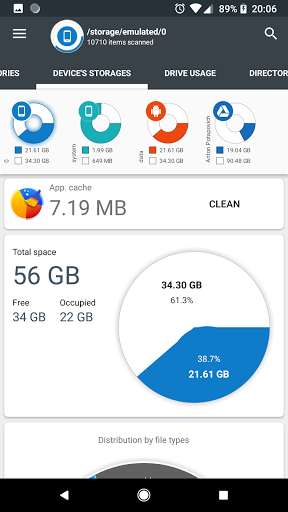
Storage Analyzer & Disk Usage displays information on sdcard, usb devices, external and internal storage in a simple and clear graphical form (infographics).
Accessing device storage and USB drives
Application reads from the device storage list of files and file-specific data (name, path, size, last modified date, file preview) in order to build device statistics and display it in a form of report and file usage diagram (pie chart, sunburst chart).
Accessing cloud drives
Application allows users to connect cloud drives (Google Drive, Dropbox, Yandex.Disk). When the appropriate drive is connected Application reads a list of files and file-specific data (name, path, size, last modified date, file preview) in order to build cloud drive statistics and display it in a form of report and file usage diagram.
Accessing device Installed applications
Application reads a list of installed applications and application-specific data (package name, app icon, code size, data size, cache size, last used date) in order to provide applications list, sorted by app size and cache. In addition Application allows to clean cache and delete selected apps.
The Application does not require any user registration. The Application does not require the user to provide any personal information.
Files usage Visualization
Folders and Files are represented as a Sunburst chart and sorted by their size.
Сentral chart sector is a current directory. Its represented by a circle. The rest of the sector is the subfolders and files. Click on the sector to go deeper. Application draws nested levels with a head of previously selected sector.
Global Search
Device and cloud storage files are indexed at startup. Founded files are displayed on the Quick Search page after entering a search query.
Quick Search activity shows the result of search or a content of a chosen category.
Long clicking on the file shows context menu with a open, delete or share file.
Long click on the category or extension will put contained files to the Quick Search page.
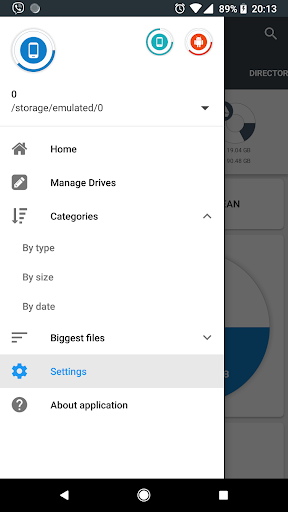
File Categories
All files in internal and external storage, SD card or USB device are presented in a structured way:
By category (documents, videos, music, etc.)
By file size (large, large, medium, etc.).
By file date (today and yesterday, earlier this week, last week,