Gallery KK


Gallery KK Summary
Gallery KK is a ad-supported, with in-app purchases Android app in Photo And Video by Moblynx. Released in Apr 2012 (13 years ago). It has about 4.2M+ installs and 34K ratings with a 4.15★ (good) average. Based on AppGoblin estimates, it reaches roughly 42.5K monthly active users and generates around $10K+ monthly revenue (73% IAP / 27% ads). Store metadata: updated Apr 5, 2016.
Recent activity: 38K installs this week (76K over 4 weeks) showing exceptional growth , and -14 new ratings this week View trends →
Store info: Last updated on Google Play on Apr 5, 2016 .
4.15★
Ratings: 34K
Screenshots


App Description
Improved version of the Gallery & Photo editor app included on KitKat
★ NEW VERSION 2.0 ★
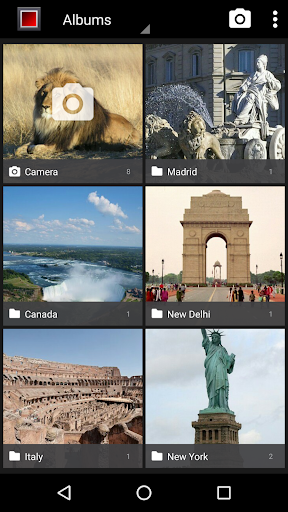
Gallery KK is an improved version of the Gallery & Photo editor app included on KitKat (Android 4.4)
Our goal is to allow any Android phone or tablet can enjoy this great gallery!
This app is also perfect for Nexus or Android One devices that have lost the classic gallery app with the last upgrade to Lollipop (Android 5.0). We are working on improving the compatibility to support more devices.
--- FEATURES ---
● GALLERY:
- Ultra fast photo & video viewer
- Configurable thumbnail size/colors
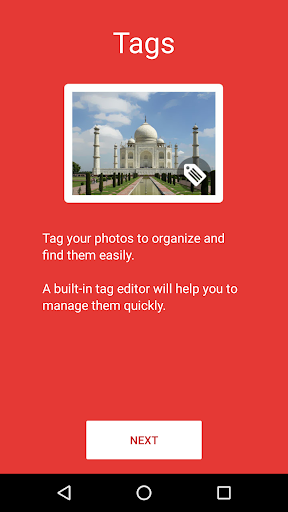
- Photo tag viewer & editor
- Grid view/Filmstrip view
- Custom action buttons (edit, delete, tags,...) in photo view
- Scroll: Horizontal/Vertical
- Animated GIF support
- Hide unwanted folders (customizable)
- Configurable screen orientation
- Show/hide status bar
- Slideshow animations: Fade, zoom, slide & flip
- Photo sphere support (Settings→General→Photo sphere support)
- Trim & mute videos
- More cool features soon ...
● PHOTO EDITOR:
- High quality photo editing
- New exclusive filters (thermal & mosaic)
- Crop, Straighten, Rotate, Mirror, Draw & more cool effects
If you prefer the old gallery (Android 4.0), you can download "Gallery ICS (classic version)" for free:
https://www.google.com/url?q=https://play.google.com/store/apps/details?id=com.moblynx.galleryicsold
--- FAQ ---
● What are tags? What is its used for?
Tags are keywords that you can attach to your photos to categorize and organize them. A built-in tag editor will help you to manage them quickly.
Use the Tags view to see all photos classified by tags. You can even import tags from the photos that you have in the gallery.
Tags are stored in the metadata of the photos and are not lost if you uninstall the app.
● What are the Action Buttons? How can I customize them?
Action buttons are two buttons that appear on the bottom of the full picture view.
You can customize these buttons from "Settings→Pictures→Action Button(left/right)" to assign your favorites quick actions (edit, delete, crop, rotate, ...). If you prefer you can disable them to better fit your needs!
● How can I move or copy files between albums?
Unfortunately we have not yet integrated this functionality into the current version.
Anyway, you can use apps from other devs that are compatible with Gallery KK, like