Quiz Hour - Flutter Quiz App


Quiz Hour - Flutter Quiz App Summary
Quiz Hour - Flutter Quiz App is a ad-supported, with in-app purchases Android app in Education by MRB Lab. Released in Jan 2023 (3 years ago). It has about 1.5K+ installs Based on AppGoblin estimates, it reaches roughly 92 monthly active users and generates around $<10K monthly revenue (75% IAP / 25% ads). Store metadata: updated Dec 18, 2025.
Recent activity: 58 installs this week (165 over 4 weeks) showing exceptional growth View trends →
Store info: Last updated on Google Play on Dec 18, 2025 .
0★
Ratings: 0
Screenshots


App Description
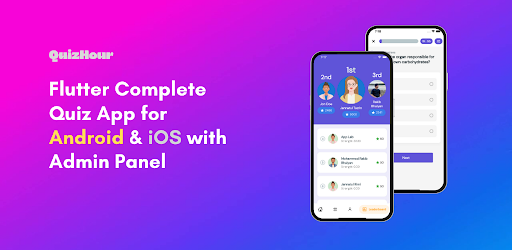
A complete quiz app for android & ios with leaderboard and admin panel
QuizHour is a complete quiz app for Android & iOS built on the flutter framework. It has a web admin panel for controlling the app which is also built on flutter. Firebase is used as a backend of the app which is a fast & secure database solution from google. You can build your own quiz app from this, add your own content and publish your android and ios apps and earn through ads.
It has lots of animations and impressive UI designs which will help to engage the users and provide a better user-friendly app performance. We have used a points-based user model where users need points to play quizzes. Users can earn points by playing quizzes and watching video ads. There is also a leaderboard for the users.
App Features
Splash Screen: In-built animated splash screen.
User Registration/Login: Users can’t access the app contents without login/registration. We have used email, google, Facebook, and apple logins.
Users Avatars: Users can select their favorite avatars. We have included 17 different user avatars. You can change them if you want.
Point-Based User Model: We have used point based user model where users need points to play any quiz. The reward for correct answer and penalty for incorrect answer feature is also applied. If the admin wants, new users can get free points after their registration. Users can also earn points by watching rewarded video ads.
Animations: This app has full of animations. We have used inbuilt animations from flutter and also used animation files from Lottie. You can change all the custom animations with your Lottie files.
Video Support: Quiz description supports HTML texts including texts, images, videos, etc. Network videos and youtube iframe videos both are supported by native video players.
Interactive Push Notifications: We have used the firebase push notification service which is completely free. Admin can send push notifications directly from the admin panel to all android & iOS users in just one click. Push notification’s body also supports HTML text. That means HTML texts, images and videos will be supported too.
Cached Image & Data: Used cache image service to save online images to a local database for a faster experience. Images & databases can be accessible even offline.
Backend Service: We have used firebase as a backend of this complete project which is fast and secure.
Custom Security Rules: We have included custom security rules for the backend database which will secure the data from hackers. So, you don’t have to worry about database security.
Monetization: We have used Admob ads for monetization maintaining AdMob policy. A banner ad at the bottom of the quiz screen, An Interstitial ad after completing each quiz, and rewarded video ads for generating rewards for the users.
Multi-language Support: The app has multi-language support. You can use any language. We have added 10 prebuilt language files.
RTL Support: RTL support for RTL-type languages like Arabic, Hebrew, etc.
EU Data Protection Policy: EU data protection policy has been applied. Users can delete their accounts and data from the app anytime they want.
Sound and Vibration Support: Added sound and vibration feature in the quiz screen. Users can turn on/off the sound and vibration. You can use your custom sounds.
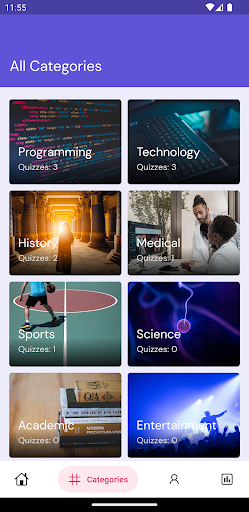
Categories & Sub-categories: Questions are divided into categories and sub-categories where sub-categories will be represented as quizzes.
Question Types: Texts only and texts with an image.
Option Types: Four options and two options(true/false).
Beautiful On-Boarding Screens – Introduction screens to define the features of the app.
Firebase Analytics: To access the real-time activity of the users.
State Management: Provider
Local Database: Hive and Shared Preferences.