Video Crop - Cut Video, Video


Video Crop - Cut Video, Video Summary
Video Crop - Cut Video, Video is a ad-supported Android app in Video Players by Techtalks. Released in Jul 2019 (6 years ago). It has about 197.1K+ installs and 576 ratings with a 2.97★ (poor) average. Based on AppGoblin estimates, it reaches roughly 2.9K monthly active users and generates around $<10K monthly revenue (0% IAP / 100% ads). Store metadata: updated Jul 26, 2022.
Recent activity: 2.9K installs this week (2.9K over 4 weeks) showing exceptional growth View trends →
Store info: Last updated on Google Play on Jul 26, 2022 .
2.97★
Ratings: 576
Screenshots


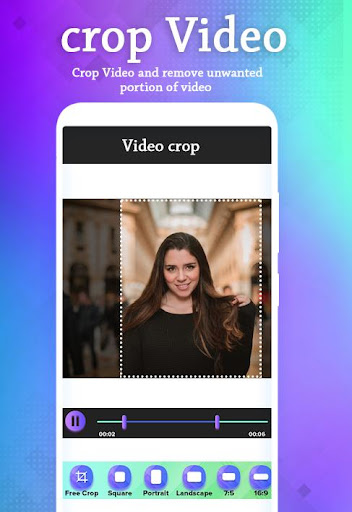
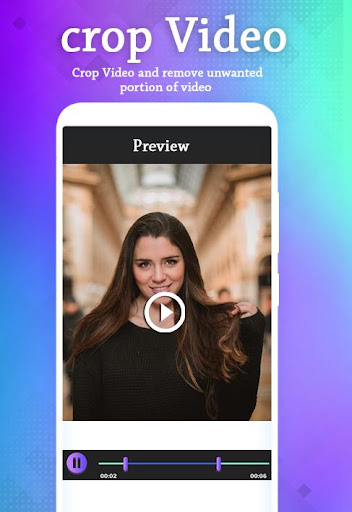
App Description
Now it is very easy to remove unwanted part from your video by crop video
crop Video will be very helpful and easy for video editing and video making.
Keyfeature
*Cut video editor easily and quickly.
*Trim video app allow choice to cut out part of the video.
* Visualize the video section help you choose the cut.
*Preview Video section you want to cut.
* Crop video screen size with a lot of frames to choose from: 4:3, 16:9, 9:16, square, portrait, landscape ...
* Access to the memory and display the entire video available in your library
* Show list of trim video app free cropped frames
*Easily share video after editing 1 extremely fast
*compact size, beautiful interface.
*Support almost all video formats* Support for all CPU types: x86, x86-64, mips, MIPS64, armabi, armabi-v7a, arm64-v8a
* Support for most android apps available in the current market
*Cut video editor, trim video app for android
Tutorial
*Cut Video Editor Guide
Choose a video from your library or click video
Select the type of frames available or custom frame
If you choose custom frame then move the video to keep
Press the """"NEXT"""" to improve and render video
Preview and share videos to your friends
Video after the render will be saved automatically.