Network Utilities


Network Utilities Summary
Network Utilities is a ad-supported, with in-app purchases Android app in Tools by First Row. Released in Oct 2014 (11 years ago). It has about 1.5M+ installs and 12K ratings with a 4.63★ (excellent) average. Based on AppGoblin estimates, it reaches roughly 10K monthly active users and generates around $<10K monthly revenue (33% IAP / 67% ads). Store metadata: updated May 5, 2026.
Recent activity: 427 installs this week (1.4K over 4 weeks) showing steady growth , and 8.00 new ratings this week View trends →
Store info: Last updated on Google Play on May 5, 2026 .
4.63★
Ratings: 12K
Screenshots

App Description
Network tools, those must have every system administrator
Application contains a set of tools for computer networks diagnostics.
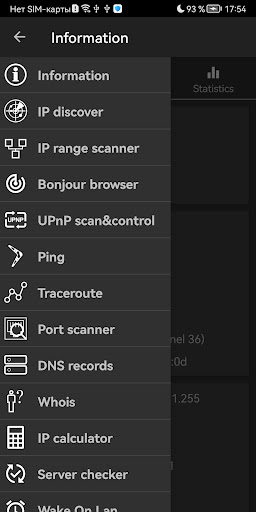
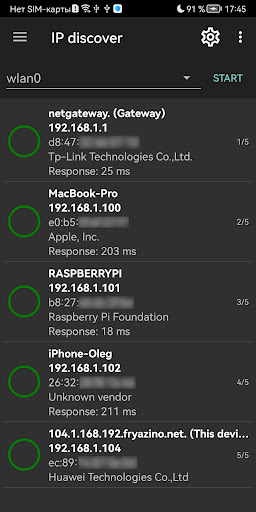
• IP discover will find all devices in WiFi network
• IP range scanner (search hosts by ip range, allows filter hosts by opened ports)
• Bonjour browser
• Ping
• Traceroute
• Port scanner (tcp, udp)
• DNS records
• IP calculator
• Whois
• Wake On Lan
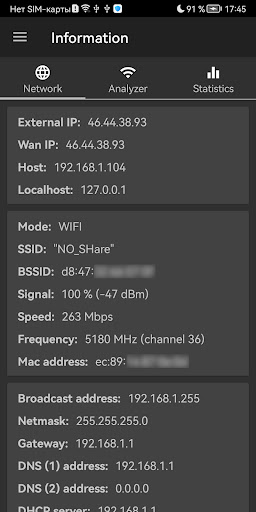
• Network information displays external IP and other connection information. Wifi analyzer and traffic statistics tools are also available on this screen
• Server checker (check servers availability with using HTTP, HTTPs, ICMP, TCP protocols)
• Telnet and ssh client (may be used as terminal emulator that supports most ESC commands, SGR and utf8 encoding)
• UPnP scan & control (find upnp devices in your network, allows to call methods from available services)
Features those available for Android 9 and lower:
• Connections screen
• Monitoring screen shows traffic usage in real time
Features those available for root mode:
• Packet sniffer allows get dumps for selected network interface, explore them with built-in hex viewer and also save and open pcap files
• Packet crafter allows configure and send arbitrary ethernet packet (supports ethernet, arp, ip, udp, tcp, icmp headers)
• Network information will show external ip and detailed info about internet connection. It contains also wifi analyzer and traffic statistics tool
Those tools can be effective used in WiFi networks. App allows to launch multiple tools in different tabs at the one moment, and switch between them during working.
The list of available tools is constantly expanding, old utilities acquire new features. Developers take into account customers feedback to make this app even more handly and functional.