Naver SmartBoard - Keyboard


Naver SmartBoard - Keyboard Summary
Naver SmartBoard - Keyboard is a mobile Android app in Tools by NAVER Corp.. Released in Jun 2017 (8 years ago). It has about 5.3M+ installs and 25.6K ratings with a 3.70★ (average) average. Based on AppGoblin estimates, it reaches roughly 73.6K monthly active users . Store metadata: updated Mar 23, 2026, version 1140101.
Recent activity: 4.6K installs this week (16.5K over 4 weeks) showing steady growth View trends →
Data tracking: SDKs and third-party integrations were last analyzed on May 8, 2026. The app's network data flows (API traffic to/from the app and its SDKs) were last crawled on Aug 26, 2025.
Store info: Last updated on Google Play on Mar 23, 2026 (version 1140101).
Naver SmartBoard - Keyboard was last scanned for SDKs 2026-05-08. Below is the overview of third party companies detected in the app. The full list of raw SDKs, app permissions and unknown SDKs is available here.
 Firebase
 Airbnb Engineering
 Google
 JetBrains
 Kotlin
3.7★
Ratings: 25.6K
Screenshots
App Description
Typing on phone can come interesting! Search, translate, draw with SmartBoard.
The more you use, the easier it gets. Search and translation are available on the keyboard.
You also can use stickers or your own drawings.
Take a look at NAVER SmartBoard, a keyboard app that just fits you.
1. It gests smarter as you use it.
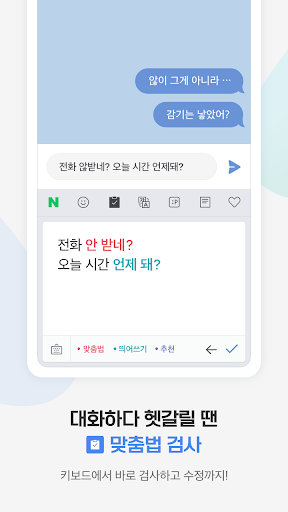
You can use suggestions from SmartBoard such as words, corrections, or emojis.
Custom texts help you enter long sentences each with a single tap while Quick Keys let your favorite shortened phrases stay in a single key.
You can not only change Korean syllables to Chinese characters but also type with your voice.
2. Search while you keep texting
You don't have to switch to a search app during a conversation.
Finding information of restaurants, movies, weather, and shopping has never been easier.
Stay where you are and get things done!
3. Real-time translation as you type in.
Don't be afraid of texting or emailing with foreigners any more.
Just type in Korean and SmartBoard does the rest translating into English, Chinese (Simplified), or Japanese using N2MT technology.
Using voice recognition while translating is even useful.
4. A single image wins the speech.
Sometimes it's a lot better to show a picture than to describe in words.
Send stickers, gifs, and your own drawings either on a empty canvas or pictures in gallery!
5. Customize your keyboard
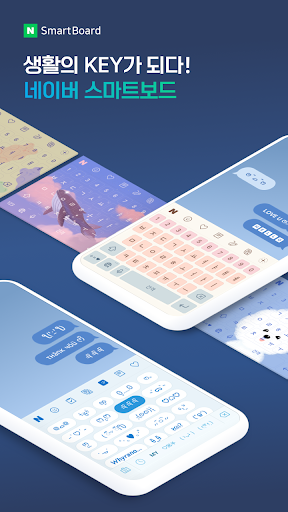
Accustomed to a certain Korean layout? SmarBoard supports major Korean layouts such as "2-set Korean", "Danmoum", "Cheonjiin", "Naratgul", and "Vega".
You also can set any images for the keyboard background.
※ Permission Required
- Location: SmartBoard can show the weather around you and local search results.
- Microphone: What you say is transformed to texts using voice recognition.
- Camera: For drawing and text recognition, you can use your camera.