nbWatch Ultra Contour

nbWatch Ultra Contour Summary
nbWatch Ultra Contour is a ad-supported, with in-app purchases Android app in Personalization by nbSix. Released in Nov 2024 (1 year ago). It has about 1.2K+ installs Based on AppGoblin estimates, it reaches roughly 49 monthly active users and generates around $<10K monthly revenue (72% IAP / 28% ads). Store metadata: updated Nov 4, 2024.
Recent activity: 36 installs this week (52 over 4 weeks) showing exceptional growth View trends →
Store info: Last updated on Google Play on Nov 4, 2024 .
0★
Ratings: 0
Screenshots
App Description
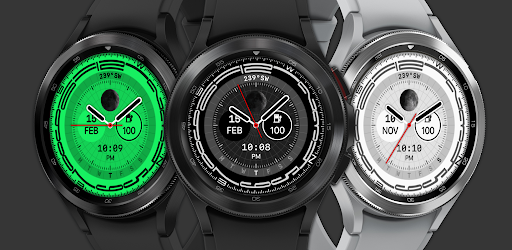
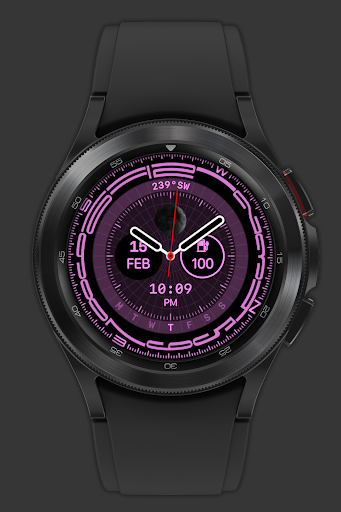
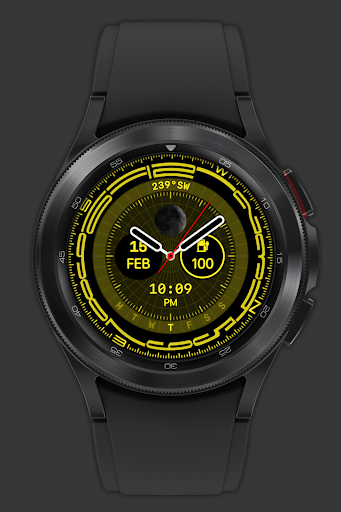
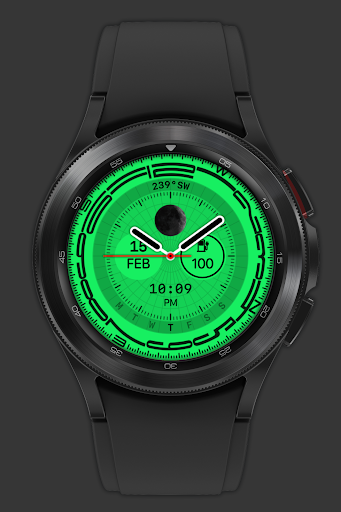
Watchface displays compass direction, with style customization
This watchface is for Wear OS 4 and below, displays compass direction, with customization when double tap on center screen:
- Double tap the top of the screen to change compass on/off
- Double tap the bottom of the screen to change skin colors
- Customization (double tap on center screen), list of surrounding buttons, click to open the function that needs customization:
+ Watchface info: premium purchase status, if you haven't purchased it in inapp-purchase the Buy Premium button will be available here
+ Companion data: the 2 circles of the center screen are 2 customizable companion data, tap on the circle to setup them. There are 6 customizable data available: date/day of week, battery level, heart rate, daily steps count, sunrise, sunset
+ Show/hide clock hand
+ Time format: 24h/AM/PM/Follow system
+ Permissions: the watch face requires 3 basic types of permissions to operate: location for information circle/sunrise time/sunset time, sensor (heart rate)/activity (steps count) to return health data. These permissions are needed for the app for functions to work correctly. Grant permission there if it is not already allowed
### IMPORTANT: Health data including Heart Rate and Steps is passively obtained from Samsung Health or Health Platform for other watches. It will take a little time (up to 10 minutes) to get the exact data, for an undetermined amount of time it will display n.a.
* AOD supported
**Ads only show up on the mobile app to make it more frequent to issue coupons**
** Add rewarded ads to extend your trial, for users who cannot/do not want to purchase Premium:
- Mobile & Watch connect to the same WIFI network or Bluetooth
- The maximum number of days that can be accumulated is 9 days
- See to know: https://youtu.be/6zNEMOwk-H0
+ This watch face is available for trial for 360 minutes or Watch Ads to extend
+ When the trial expires, a message to buy Premium (in-app purchase) will appear on the watch face. Double-tap on the screen to proceed with the purchase.
+ To check Premium, hold press the watchface, select custom menu. If you haven't purchased it yet, the Buy Premium button will be available here to purchase it.
And many more features will be updated in the coming period.
Please send any crash reports or request help to our support address.
We appreciate your feedback!
*
Offical site: https:/