Switch Audio Converter


Switch Audio Converter Summary
Switch Audio Converter is a ad-supported, with in-app purchases Android app in Music And Audio by NCH Software. Released in Mar 2015 (11 years ago). It has about 171.2K+ installs and 732 ratings with a 3.48★ (mixed) average. Based on AppGoblin estimates, it reaches roughly 1.8K monthly active users and generates around $<10K monthly revenue (42% IAP / 58% ads). Store metadata: updated Sep 19, 2024.
Recent activity: 181 installs this week (799 over 4 weeks) showing steady growth , and -1 new ratings this week View trends →
Store info: Last updated on Google Play on Sep 19, 2024 .
3.48★
Ratings: 732
Screenshots
App Description
Switch Audio File Convertor is a sound converter app for Android devices.
Switch Audio File Converter is one of the most stable and comprehensive multiple format sound file converters available for Android.
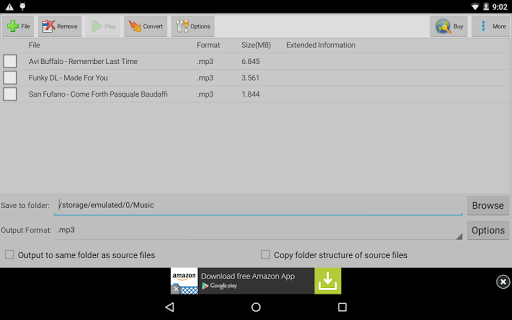
Switch Audio File Converter supports all popular formats and is very easy to use. With Switch for Android, you can convert or compress sound files in minutes. You can also use the batch conversion feature to convert several audio files at the same time. Typical applications for Switch Converter include sound for mobile devices, saving hard drive space, creating ringtones, and many more!
Switch File Converter features:
- Convert audio from over 40 file types
- Preserve music tags
- Import and convert playlists
- Preview tracks prior to conversion
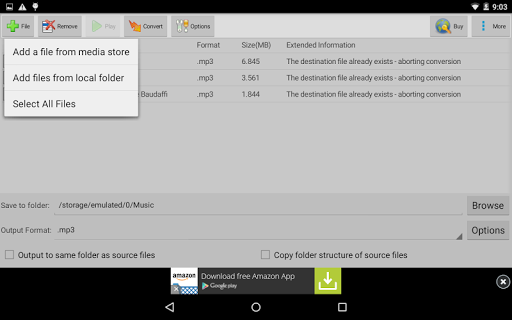
- Edit a single file or batch convert several sound files at once
Switch Audio File Converter for Android OS will help you convert, organize, transform, and enhance the way you enjoy your favorite sound files.
This free version is licensed for non-commercial use only. For commercial use, please install the version here: https://play.google.com/store/apps/details?id=com.nchsoftware.switchand