Super Resolution - AI Enlarger


Super Resolution - AI Enlarger Summary
Super Resolution - AI Enlarger is a ad-supported, with in-app purchases Android app in Photo And Video by Neuralful AI LTD. Released in Feb 2024 (2 years ago). It has about 2K+ installs and 76 ratings with a 3.67★ (average) average. Based on AppGoblin estimates, it reaches roughly 79 monthly active users and generates around $<10K monthly revenue (72% IAP / 28% ads). Store metadata: updated Jun 5, 2025.
Recent activity: 40 installs this week (170 over 4 weeks) showing above average growth , and 1.00 new ratings this week View trends →
Store info: Last updated on Google Play on Jun 5, 2025 .
3.67★
Ratings: 76
Screenshots


App Description
AI Photo Upscaler & Enhancer & Fix blurry & Improve Photo Quality & Clear image
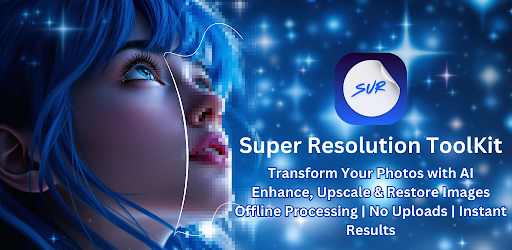
Super Resolution ToolKit: Transform Your Images with Advanced AI Technology
Whether you're looking to enhance photo quality, restore old pictures, or upscale image resolution, Super Resolution ToolKit has you covered. Designed to deliver stunning results in seconds, the app utilizes cutting-edge AI models tailored to various needs, including anime, portraits, sketches, and more.
Key Features
Works Offline: Perform all image upscaling and enhancements directly on your device without needing an internet connection. Enjoy complete privacy and faster processing times.
Custom AI Models for Every Use Case:
Anime: Upscale 2x and 4x with specialized models for low and high details.
Photo and Portrait Enhancement: Improve resolution and clarity up to 4x.
Text and Sketch Refinement: Sharpen details in artistic or handwritten content.
Art Preservation: Upscale artwork while retaining its original charm.
Noise Reduction: Remove noise with options for fast or precise processing.
Face Retouching: Restore facial details with precision.
Low-Light Correction: Brighten and clarify images taken in poor lighting conditions.
Resolution Options: Generate 2x, 4x, and even high-resolution outputs like 4K and 8K.
Quick Retouching: Enhance images instantly with fast AI models.
User-Friendly Workflow: A seamless process with no technical expertise required.
How to Use:
Select your image(s).
Choose the appropriate AI model (e.g., Anime, Portrait, Art).
Select the scaling factor and processing speed (e.g., Fast or High).
Save your enhanced image in your preferred format (JPG, PNG).
Your Privacy Matters:
All upscaling and enhancement tasks are performed offline on your device. No images are uploaded, ensuring complete privacy and security.
Contact Us:
Have questions? Reach out to us at support@neuralfulai.com.
Explore the Power of AI with Super Resolution ToolKit: Upscale, enhance, and transform your photos with our comprehensive suite of tools. Say goodbye to grainy, blurry images and hello to high-definition clarity!
Terms of Service: https://neuralfulai.com/terms-of-use/
Privacy Policy: https://neuralfulai.com/privacy-policy-apps/