Presentation Timer


Presentation Timer Summary
Presentation Timer is a ad-supported, with in-app purchases Android app in Tools by NeuronDigital. Released in Mar 2016 (10 years ago). It has about 57.8K+ installs and 246 ratings with a 4.09★ (good) average. Based on AppGoblin estimates, it reaches roughly 892 monthly active users and generates around $<10K monthly revenue (43% IAP / 57% ads). Store metadata: updated Feb 19, 2025.
Recent activity: 123 installs this week (423 over 4 weeks) showing steady growth View trends →
Store info: Last updated on Google Play on Feb 19, 2025 .
4.09★
Ratings: 246
Screenshots


App Description
Public speech presentation timer to keep everyone engaged
"Presentation Timer" is the only public speech timer you need for any pitch or speech. The UI is crafted in such a way that it can be read with a glimpse from a distance.
The perfect countdown timer for a PowerPoint, keynote or any slide show presentation.
Don't let your presentation end without getting to say what you want!
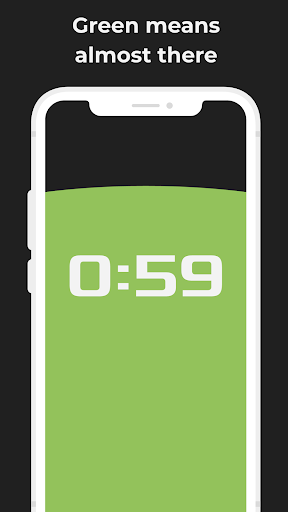
The presentation timer features 4 colors:
- BLUE - You have enough time left
- GREEN - Feel free to end your talk whenever you like.
- ORANGE - Time almost up. Conclude.
- RED - Stop now.
This app is your standard timekeeper with a modern touch. Inspired by the traditional hourglass, this countdown timer is perfect for any occasion. Just put in the required interval (in minutes and seconds) and press start.
Will remove the need to stay looking at stopwatch or a chrono during your presentation. Keep your attention with the audience.
New in Version 2.0
+ Countdown Timer continues when screen is off or app is in background.
+ Ads limited only to one ad view, when app is open.
+ When time is up, the Countdown Timer becomes a Count up timer and blinks red.
+ Rate button instead of Rate pop-up.