Mesailerim


Mesailerim Summary
Mesailerim is a ad-supported, with in-app purchases Android app in Business by Nevra Yazılım. Released in Nov 2015 (10 years ago). It has about 1.6M+ installs and 7.3K ratings with a 4.06★ (good) average. Based on AppGoblin estimates, it reaches roughly 63K monthly active users and generates around $<10K monthly revenue (35% IAP / 65% ads). Store metadata: updated Apr 18, 2026.
Recent activity: 4.2K installs this week (14.2K over 4 weeks) showing steady growth , and 4.00 new ratings this week View trends →
Data tracking: SDKs and third-party integrations were last analyzed on Mar 12, 2025.
Store info: Last updated on Google Play on Apr 18, 2026 .
4.06★
Ratings: 7.3K
Screenshots
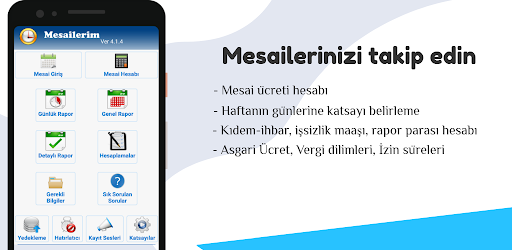


App Description
Overtime hours and Permits to process the calendar, you can get monthly reports.
You can get monthly reports by registering your daily overtime hours by selecting the day on the calendar.
You can keep track of your paid (annual) leave, free leave (missing days), hourly leave and report days.
Your overtime; You can calculate your salary by entering your overtime hourly rate.
You can change the coefficient options in the settings menu.
If you activate the Reminder alarm in the Settings menu, it will give an alert if you have not entered overtime-leave at a time you set every day.
Overtime: Select the day you work on the calendar and press the Overtime button. In the window that opens, type your working time in the Duration box and press the Save button. To delete the message you entered incorrectly, save it by typing zero in the Duration box.
Permission Entry: Select the day you did not go to work from the calendar and press the Permission Entry button. Select the Permission Type and press the Save button
Report: You can see the Shifts and Permits in the months of your registration, as Annual, Monthly and Daily. You can send the Detailed Report option as a PDF file by whatsapp or mail.
Pressing the Delete Monthly Records button clears the leave and overtime records entered in the selected month.
You can see the current Minimum Wage Tariff and Minimum Living Discount information in the application.
In the Required Accounts menu, you can make Severance-Notice Pay Account, Unemployment Benefit and Short Work Allowance Account.
Ads in the app are Google Admob Ads.