touchnotes


touchnotes Summary
touchnotes is a with in-app purchases Android app in Productivity by 新空电子. Released in Apr 2020 (6 years ago). It has about 1.9M+ installs and 6.6K ratings with a 3.53★ (average) average. Based on AppGoblin estimates, it reaches roughly 54.5K monthly active users and generates around $10K+ monthly revenue (100% IAP / 0% ads). Store metadata: updated Apr 27, 2026, version 141233.
Recent activity: 3.1K installs this week (141.6K over 4 weeks) showing steady growth , and 6.00 new ratings this week View trends →
Data tracking: SDKs and third-party integrations were last analyzed on Mar 27, 2026. The app's network data flows (API traffic to/from the app and its SDKs) were last crawled on Aug 23, 2025.
Store info: Last updated on Google Play on Apr 27, 2026 (version 141233).
touchnotes was last scanned for SDKs 2026-03-27. Below is the overview of third party companies detected in the app. The full list of raw SDKs, app permissions and unknown SDKs is available here.
 Google
 Huawei Analytics
 SensorsData
 Firebase
3.53★
Ratings: 6.6K
Screenshots

App Description
Notetaking·MindMap·FlashCard·Cloud
A simple yet powerful handwriting and mind mapping app that provides the feeling of writing on paper on your device. Say goodbye to paper notes.
This app offers a comprehensive range of features with high user customization. It includes mind mapping, flashcards, limitless note taking, PDF notes, journals, and importing office documents. It also features handwriting to text, voice recognition, and many more functions.
Note taking features:
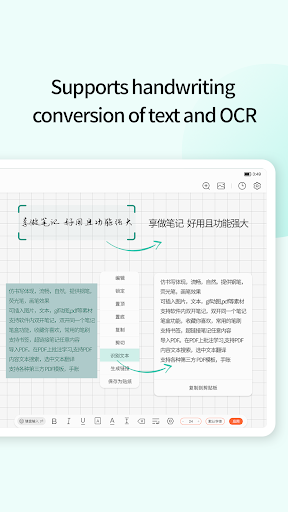
* Limitless note taking in various formats such as limitless notes, PDF notes, journals, and handwriting to text.
* Import multiple file formats such as PDF, PPT, Doc, JPEG, and PNG
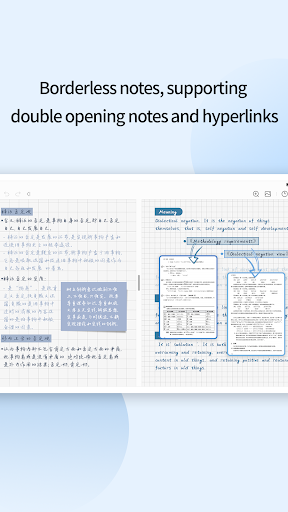
* Insert GIFs, images, audio, and hyperlinks
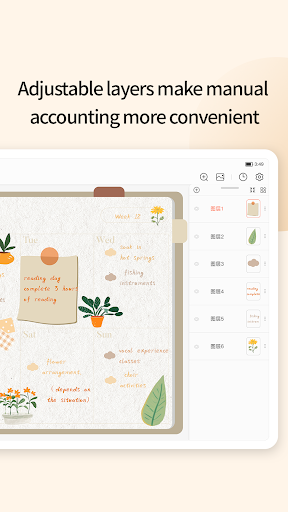
* Customize paper templates and cover templates
* User-defined stickers that can be imported and exported at any time
* Customize pen effects, thickness, and color and save them in the pen box
* Draw various shapes and lines that are automatically recognized
* Multi-layered operations to add, adjust, and delete various elements during creation
* Zoom in to write anywhere on the page for more precision
* Double open different notes in the software or double open the same note with multiple tab pages
* Bookmark and hyperlink any content of the note
* Export notes in image, PDF and other formats to share notes
* Add a quick screenshot to the device status bar at any time and insert it into the note.
Mind mapping features:
* Freely extract documents or notes as mind maps
* Insert hyperlinks, documents or note contents at will
Flashcard features:
* Freely extract, write, type, etc. to create accurate review flashcards
* Calculate the optimal review time based on Ebbinghaus' memory law
AI features:
* Intelligent rewriting, summarization, and consulting functions
* Intelligent search for handwriting content, text content, audio content, and image content
* Smart translation of multiple languages, intelligent analysis of key vocabulary, and intelligent reading of translated content
* OCR scanning recognition, picture to text, real-time handwriting to text, recording to text, real-time voice to text conversion into editable notes.
Cloud features:
* Supports third-party WebDAV cloud drives (Dropbox, Nut Cloud, Huawei Cloud, Baidu Cloud, etc.)