Noona for USA


Noona for USA Summary
Noona for USA is a mobile Android app in Medical by Varian Medical Systems Finland Oy. Released in Nov 2018 (7 years ago). It has about 13.1K+ installs and 182 ratings with a 4.51★ (excellent) average. Based on AppGoblin estimates, it reaches roughly 702 monthly active users . Store metadata: updated Dec 10, 2025.
Recent activity: 4.00 installs this week (157 over 4 weeks) showing steady growth View trends →
Store info: Last updated on Google Play on Dec 10, 2025 .
4.51★
Ratings: 182
Screenshots

App Description
Supporting your treatment
Noona is an application for patients undergoing oncology or hematology treatment used by your clinic to communicate with patients. Noona connects you with your care team, ensuring your treatment journey is as informed and supported as possible.
Noona enables continuous management and follow up of your health by your care team. Using Noona helps your oncology or hematology care team make informed decisions and provide you with more personalized care.
Please note that Noona should not be used in place of emergency medical services.
With Noona you can:
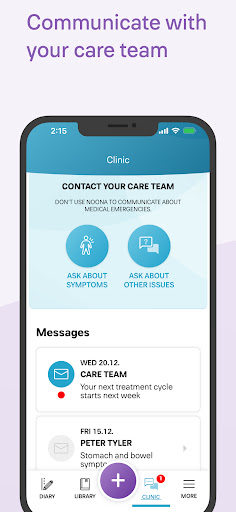
• Report symptoms to your care team in real-time
• Send images to provide more information about symptoms
• Complete questionnaires sent to you by your clinic
• Ask questions directly to your care team through the Noona app
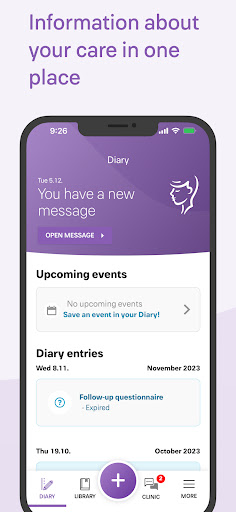
• View your appointments, lab results, medical records, and clinical documents
• Access educational materials sent by your clinic about your disease and treatment
• Keep a personal diary to track your wellbeing with pictures and notes
Noona can be used from any smartphone, tablet or desktop connected to the internet.
How to get started using Noona?
Step 1: Ask your nurse or doctor if Noona is available for you.
Step 2: After your clinic has enrolled you in Noona, you will receive an invitation via SMS text message and/or email with instructions on how to activate your Noona account.
Steps 3: After you have activated your account, you will be able to download the Noona App on your mobile device and start using it. You also can access Noona via a web browser on your computer by going to the link in the email.
Important: Please do not download the Noona app until after your care team has sent you an invitation and you have activated your Noona account and set up your password.
Developed by Varian Medical Systems, Inc., Noona prioritizes your privacy. Your Personal Health Information (PHI) is securely stored on a cloud server, accessible only to you and your clinicians. No PHI is stored locally on devices.
VARIAN and NOONA are trademarks of Varian Medical Systems, Inc., pending or registered U.S. Pat. & Tm.