Lesser AudioSwitch


Lesser AudioSwitch Summary
Lesser AudioSwitch is a free, with in-app purchases Android app in Tools by Roughy. Released in Apr 2016 (10 years ago). It has about 7.6M+ installs and 33K ratings with a 4.37★ (good) average. Based on AppGoblin estimates, it reaches roughly 609K monthly active users and generates around $10K+ monthly revenue (100% IAP / 0% ads). Store last updated Jul 12, 2025
Recent activity: 3.4K installs this week (16K over 4 weeks) showing above average growth , and 3.00 new ratings this week View trends →
Lesser AudioSwitch SDKs Summary
App not yet scanned for SDKs.
4.37★
Ratings: 33K
Screenshots


App Description
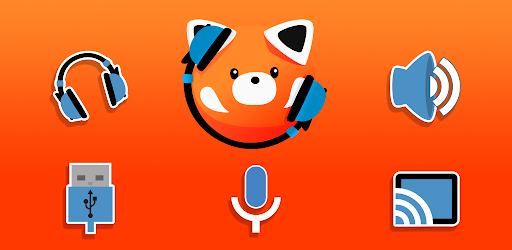
Force your audio output to switch to headphones, speakers, or any other output!
Force your audio output to switch to headphones, speakers, or any other output, including USB and Bluetooth devices.
The microphone can also be switched, and on most devices the speaker can be completely muted if you so desire.
Additional features:
Widgets, Quick-setting tiles, and notification shortcuts.
Auto-Switch: Detect when headphones are inserted or removed, and switch to any audio output or mute/unmute the speaker automatically.
Restore-on-Boot: Automatically switch to the output of your choice when your device starts.
Common use cases:
This app can help if your device does not detect your headphones, or it thinks they are connected even when they have been removed.
It can also be used to mute the speaker when using headphones, so that loud notifications do not play via the speaker.
Want to use a headset microphone but still output audio via the speakers? also possible.
You can force audio to play locally on your device when using Android's native cast-screen feature.
Android 11 support:
Due to changes to made Android, this app cannot function on Android 11 and later.
There is now a native output-selection option found in the volume panel, which provides some of the functionality previously offered by this app.
Advanced users can trigger a switch externally using the following intent actions:
com.nordskog.LesserAudioSwitch.HEADPHONES
com.nordskog.LesserAudioSwitch.SPEAKER
com.nordskog.LesserAudioSwitch.BLUETOOTH
com.nordskog.LesserAudioSwitch.USB
com.nordskog.LesserAudioSwitch.CAST
com.nordskog.LesserAudioSwitch.MUTE
com.nordskog.LesserAudioSwitch.UNMUTE
com.nordskog.LesserAudioSwitch.NOTIFICATION_ON
com.nordskog.LesserAudioSwitch.NOTIFICATION_OFF
On Oreo 8.0 and later you must also specify the target package when using intents: com.nordskog.LesserAudioSwitch