Document Viewer & Editor

Document Viewer & Editor Summary
Document Viewer & Editor is a free, ad-supported Android app in Productivity by JasonClub. Released in Oct 2024 (2 years ago). Store last updated Jun 13, 2025
Advertising: AppGoblin detected 1.00 monetized ad creatives shown inside the app.
SDK intelligence: AppGoblin detected 14 ad networks(e.g. Google), 11 development tools, 3 mediation, 3 analytics: attribution, 1 analytics: product,and 1 business tools integrated into Document Viewer & Editor. View full SDK list →
Data tracking: The app's network data flows (API traffic to/from the app and its SDKs) were last crawled on Oct 20, 2025.
Document Viewer & Editor SDKs Summary
Document Viewer & Editor was last scanned for SDKs on 2025-07-30. Below is the overview of third-party companies detected in the app. The full list of SDKs, permissions and unknowns is available here.
Document Viewer & Editor has 14 Ad Networks SDKs
 Google
 Facebook
 AppLovin
 Unity
UnityDocument Viewer & Editor has 11 Development Tools SDKs
 Square
 Airbnb Engineering
Document Viewer & Editor has 3 Mediation SDKs
 AdMob
AdMobDocument Viewer & Editor has 1 Analytics: Product SDKs
 Firebase
Document Viewer & Editor has 3 Analytics: Attribution SDKs
 Adjust
 Yandex Metrica
 AppMetrica
Document Viewer & Editor has 1 Business Tools SDKs
0★
Ratings:
Screenshots
App Description
Easily read, manage, merge, split and protect your PDF with Document Viewer.
Welcome to Document Viewer! This is a productivity application that integrates document reading, editing and management, providing you with convenient document processing functions.
Why choose Document Viewer? 🤔
👍Easily read various types of documents
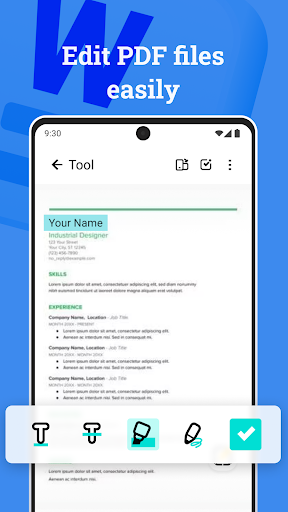
👍Complete PDF processing tools
👍Various practical document management tools
👍Provide a variety of visual modes such as horizontal and vertical screens, night mode, etc. to choose from, and enjoy a comfortable reading experience.
📖Meet your different reading needs
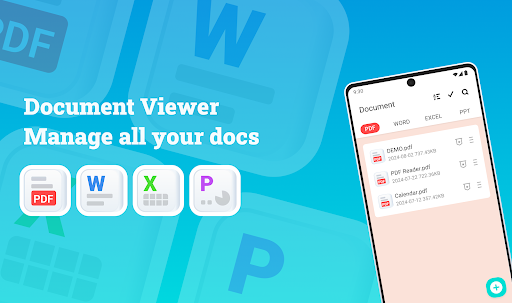
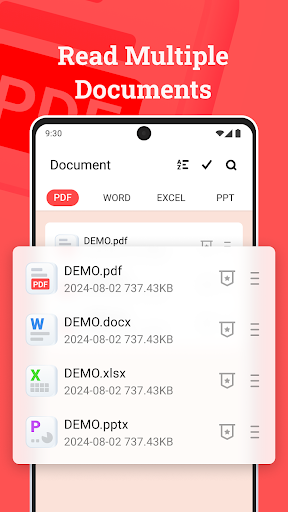
○ Read a variety of file formats, including PDF, Word, Excel and PowerPoint.
○ Freely switch between horizontal and vertical screen modes to make reading more suitable for your usage scenarios.
○ You can switch between day/night mode at any time to ensure visual comfort for reading.
📚Full-featured PDF processing tools
✓ Use the mobile phone camera to scan images or select images from the album to generate PDF files with one click.
✓ Flexibly merge or split PDF files.
✓ Enter the page number to jump directly to the specified page.
✓ Set a password for the PDF file to lock or unlock it to ensure the security of the file.
✓ Quickly print PDF files from your device
🔍Quickly find and preview files
● Try the search function of Document Viewer. Just enter the file name or keyword to find the target file.
● Use the preview at the bottom of the file and jump to the desired page with a single click.
➡️More document management tools
➢ Automatically record historical files and display them in the Recent list in chronological order.
➢ Add documents to favorites for quick search and review.
➢ Support multiple selection of files for batch deletion or sharing.
➢ Homepage and bookmarks can be sorted by file name and last modified time.
➢ View file details such as file name, modification time and file size at any time.
➢ Connect to system file management and complete unified file management in Document Viewer.
👉Use Document Viewer now to read, edit and manage documents of various formats anytime, anywhere!
Thank you for choosing Document Viewer. We value all your feedback and suggestions. If you have any questions, please feel free to contact us at jasoncolin717@gmail.com. 🤝