Digital Watch Face OMG 377

Digital Watch Face OMG 377 Summary
Digital Watch Face OMG 377 is a mobile Android app in Personalization by OMG Watch Faces™. Released in May 2025 (1 year ago). It has about 671+ installs and 28 ratings with a 3.75★ (average) average. Based on AppGoblin estimates, it reaches roughly 264 monthly active users . Store metadata: updated Oct 20, 2025.
Recent activity: 258 installs this week (264 over 4 weeks) showing exceptional growth , and 28 new ratings this week View trends →
Store info: Last updated on Google Play on Oct 20, 2025 .
3.75★
Ratings: 28
Screenshots


App Description
Informative, clean and colorful watch face with weather & fitness for Wear OS 5+
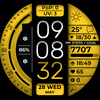
OMG 377 is a digital, informative and easy to read watch face designed for Wear OS 5 (API 34+). It features a clean, intuitive layout, vibrant color options and displays essential fitness and weather stats. Customize the colors and data fields to match your style and daily needs.
BUY 1 GET 1 - https://www.omgwatchfaces.com/bogo
🚨 IMPORTANT:
If you encounter the message "Your devices are not compatible," visit the Play Store through your browser.
🛠️ This is compatible only with Wear OS 5 (API 34+) devices, including the Samsung Galaxy Watch 7 and Samsung Galaxy Watch Ultra. Devices running Wear OS 4 or earlier are not supported.
🎯 Key Features:
• Time (12h/24h)
• Chance of Precipitation (PoP)
• UV Index
• Power Level + Ratio
• Weather
• Temperature + low/high
• Steps Counter
• Steps Goal - Ratio
• Date
• BG Color - Dimmer
• 2x Customizable Shortcuts
• 3x Customizable Complications
• 4x Preset Shortcut
✂️ Preset App Shortcuts:
• Message
• Alarm
• Calendar
• Settings
❤️ To measure your heart rate:
1️⃣ Tap the heart rate display area.
2️⃣ Wait a few seconds while the watch measures.
3️⃣ The result will appear automatically.
Ensure that you allow sensor usage during installation; otherwise, switch to another watch face and return to enable the sensors. After the initial manual measurement, the watch face can automatically measure your heart rate every 10 minutes, with manual measurements remaining an option.
Feature availability may vary by device
😁 Never miss a new design—subscribe to our newsletter: https://www.omgwatchfaces.com/newsletter
Connect with us on social media:
🔵 Facebook: https://www.facebook.com/OMGWatchFaces
🔴 Instagram: https://www.instagram.com/omgwatchfaces
🔴 Pinterest: https://ro.pinterest.com/omgwatchfaces