Bunny Blue Icon Pack: Kawaii


Bunny Blue Icon Pack: Kawaii Summary
Bunny Blue Icon Pack: Kawaii is a with in-app purchases Android app in Personalization by OmniOS. Released in May 2026 (3 months ago). It has about 16+ installs Based on AppGoblin estimates, it reaches roughly 2.00 monthly active users and generates around $<10K monthly revenue (100% IAP / 0% ads). Store last updated May 29, 2026
Recent activity: 1.00 installs this week (4.00 over 4 weeks) showing steady growth View trends →
Bunny Blue Icon Pack: Kawaii SDKs Summary
App not yet scanned for SDKs.
0★
Ratings: 0
Screenshots


App Description
Sweeten your phone with cute pastel blue bunny icons and kawaii aesthetic themes
Brighten your screen with Bunny Blue – The ultimate Kawaii Icon Pack for pastel lovers!
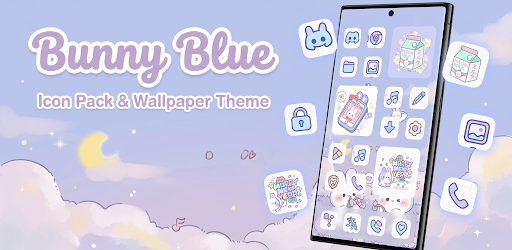
Give your Android device a dreamy makeover with Bunny Blue Icon Pack. Featuring a unique blend of soft pastel blue tones, crisp purple outlines, and a nostalgic grid background, this pack is designed for those who love aesthetic, cute, and clean interfaces.
Every icon is handcrafted with attention to detail, ensuring a consistent and adorable look across your entire app drawer. From the "Meow Milk" custom folders to the "Bunny Phone" themed system icons, your phone will never look more charming.
✨ Key Features:
• Premium Icon Collection: Hundreds of high-resolution, handcrafted icons.
• Aesthetic Design: Beautiful pastel blue palette with a clean grid-style base.
• Themed Wallpapers: Exclusive Bunny and cloud-themed backgrounds that match perfectly.
• Custom Folders & Widgets: Specially designed elements to complete your home screen setup.
• Icon Request Tool: Missing an app? Send us a request and we'll design it for you!
• Regular Updates: We consistently add new icons based on user requests.
🚀 Supported Launchers:
Bunny Blue works with most modern Android launchers, including:
Nova Launcher, Lawnchair, Microsoft Launcher, Smart Launcher, Niagara Launcher, Apex Launcher, Action Launcher, Pixel Launcher (via shortcut makers), and many more!
Note: An Android launcher is required to apply this icon pack. If your default launcher doesn't support icon packs, please install a third-party launcher like Nova.
🎨 How to Apply:
1. Install Bunny Blue Icon Pack.
2. Open the app and navigate to the "Apply" section.
3. Select your favorite launcher.
4. Enjoy your new kawaii home screen!
Download Bunny Blue today and make every glance at your phone a moment of joy!