Webcam Manager


Webcam Manager Summary
Webcam Manager is a with in-app purchases Android app in Video Players by ONIX Incorporated. Released in Jul 2023 (2 years ago). It has about 23.2K+ installs Based on AppGoblin estimates, it reaches roughly 1.8K monthly active users and generates around $<10K monthly revenue (100% IAP / 0% ads). Store metadata: updated Mar 12, 2026.
Recent activity: 261 installs this week (1.1K over 4 weeks) showing below average growth View trends →
Store info: Last updated on Google Play on Mar 12, 2026 .
0★
Ratings: 0
Screenshots

App Description
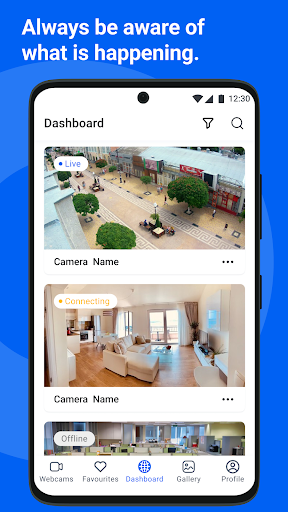
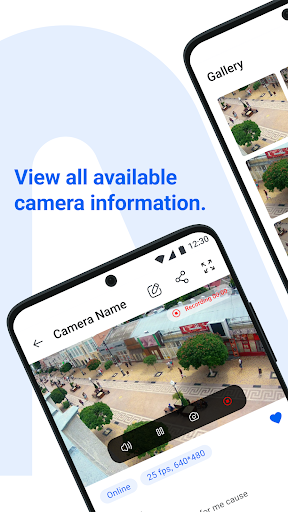
Add webcams, watch live streams. Record video streams and capture screenshots
Webcam Manager is an innovative Android application designed to revolutionize how you discover, manage, and capture video streams from across the internet. Whether it's live events, tutorials, or entertainment, this app empowers users to effortlessly access, organize, and save their favorite video content anytime, anywhere.
This app is available on Wear OS, providing convenient access to functionality right on your smartwatches.
Stream Discovery:
Instantly search and discover video streams from any website or platform. Webcam Manager provides seamless integration, allowing you to access a vast array of content without limitations.
Personal Collection:
Build your personalized video collection with ease. Save your favorite streams to access them conveniently at any time. Organize your collection for quick and intuitive access.
Favorites:
Mark videos as favorites for quick retrieval and easy access. Keep track of the streams you love most with the Favorites feature.
Search and Filter:
Effortlessly search for desired streams using keywords or filters. Filter streams based on their status, ensuring you find exactly what you're looking for.
Video Recording:
Capture live streams directly from the app. Record videos seamlessly and store them on your device for offline viewing.
Screenshots:
Capture snapshots of your favorite moments during streams. Save screenshots to cherish memorable highlights or share them with friends.
Scheduled Recordings and Screenshots:
Plan and schedule video recordings screenshot captures at specific dates and times. Set exact dates and times for automatic recording, ensuring you never miss an important moments when you can't be actively watching the stream.
Gallery:
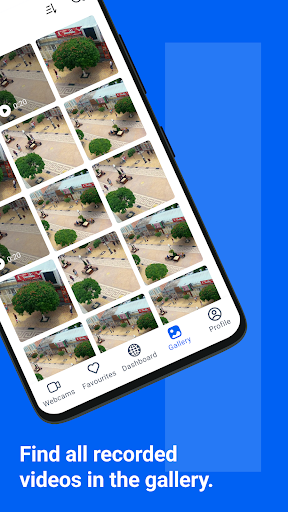
Access all your captured videos and screenshots in one convenient location. Browse through your collection effortlessly and relive your favorite moments.