Oodrive Meet


Oodrive Meet Summary
Oodrive Meet is a mobile Android app in Productivity by Oodrive. Released in Apr 2021 (4 years ago). It has about 381+ installs Based on AppGoblin estimates, it reaches roughly 38 monthly active users . Store metadata: updated Feb 9, 2026.
Recent activity: 20 installs this week (31 over 4 weeks) showing exceptional growth View trends →
Store info: Last updated on Google Play on Feb 9, 2026 .
0★
Ratings: 0
Screenshots

App Description
Hold your governance meetings in a secure virtual Board Room.
Hold your governance meetings in a secure virtual Board Room.
This mobile application has been designed for Oodrive customers for secure file sharing, sync and collaboration solutions.
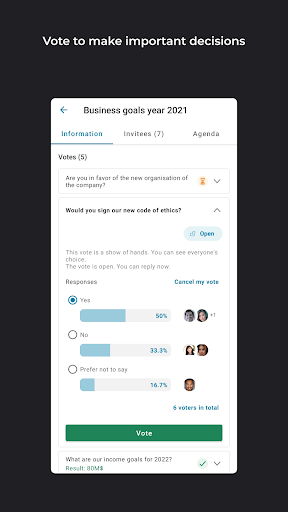
With oodrive meet, take your governance meetings digital, secure your critical data and make important decisions while keeping your ideas clear.
• Simplify your governance meetings
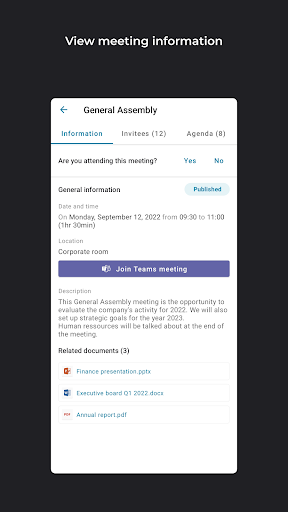
With oodrive meet, easily prepare for your governance meetings in a virtual Board Room: send invites to participants, manage your attendee list, share the agenda, link in documents for attendees to consult...all entirely online!
• Boost your efficiency
With optimised preparation, oodrive meet makes you more efficient. All key meeting documents are brought together in a single interface. Participants have access to up-to-date versions, and every effort is made to ensure that they can get up to speed quickly. Say goodbye to wasted time!
• Secure your sensitive data
With oodrive meet, keep control of confidential documents used before, during and after governance meetings. Benefit from an ultra-secure interface that keeps the company's strategic data confidential and track actions carried out in documents.
Main features:
• Session management
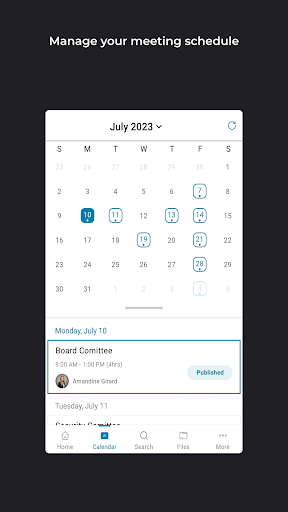
Schedule appointments and invite participants to meetings.
• Create an agenda
Set out the agenda and link in documents for each item.
• Dashboard
Access meetings, manage invites and track updates to related documents.
• Document annotation
View and annotate documents at any time, online or offline.
• Access security
Secure access through password encryption, SMS authentication and Touch ID.