Recuperar mensagens apagadas


Recuperar mensagens apagadas Summary
Recuperar mensagens apagadas is a ad-supported Android app in Tools by Ovortex - Devapp. It has about 441.5K+ installs Based on AppGoblin estimates, it reaches roughly 19.7K monthly active users and generates around $<10K monthly revenue (0% IAP / 100% ads). Store metadata: updated Sep 6, 2022.
Recent activity: 294 installs this week (527 over 4 weeks) showing exceptional growth View trends →
Store info: Last updated on Google Play on Sep 6, 2022 .
0★
Ratings: 0
Screenshots

App Description
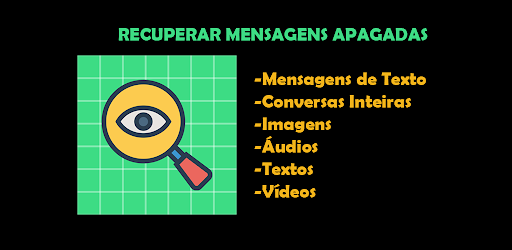
Recover Whatsapp conversations even if the user deletes
IMPORTANT: It is not possible to save the conversation if the user or group is muted (without notifications).
Functionalities:
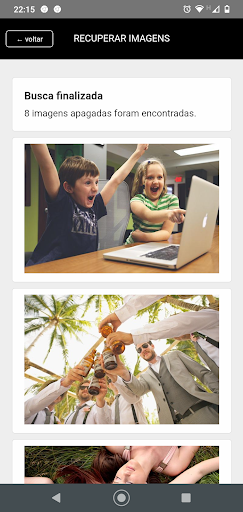
1 - Saves audio, video and images depending on the version of Android on the device.
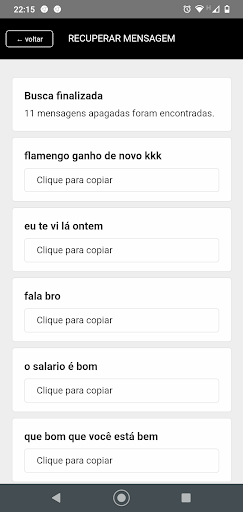
2 - Save text conversations and emojis on all Android versions
3 - Can filter the conversation by user
4 - Option to save the conversation of specific users.
5 - Clear specific user conversation
6 - Option to enable and disable conversation capture whenever you want, to prevent the device from running out of memory.
7 - Capture a profile photo of the user or group.
Other features:
-No abusive ads that would hinder you.
-Fully free
-Just a tiny, very light advertising banner.
-Notifications, for important alerts.
Ovortex, is a small Brazilian mobile development company, now bringing them another novelty, an application that saves WhatsApp conversations through the notifications received.
This application is for you to recover your messages in cases such as:
-The user sent and deleted the message afterwards and are you curious to know what it was?
-Follow a user in a group and see only what this user is talking about, to do this, leave the group window closed.
-Read messages from the notification bar without having to open Whatsapp.
How it works?
-The app captures your notifications and saves them on your phone.
-If the user or group is muted or with notifications turned off, it will not be possible to capture conversations.
-The app needs your permission to read your notifications and get access to the media to save images, audio and video, so you need to grant access to the notifications.
Image, audio and video storage is not possible on some versions of Android, but conversation capture is working perfectly well.