Blue Light Filter - LumiGuard


Blue Light Filter - LumiGuard Summary
Blue Light Filter - LumiGuard is a ad-supported, with in-app purchases Android app in Health And Fitness by Paget96. Released in Nov 2021 (4 years ago). It has about 115.2K+ installs and 762 ratings with a 4.28★ (good) average. Based on AppGoblin estimates, it reaches roughly 3.4K monthly active users and generates around $<10K monthly revenue (29% IAP / 71% ads). Store metadata: updated Sep 18, 2025.
Recent activity: 97 installs this week (411 over 4 weeks) showing below average growth , and 2.00 new ratings this week View trends →
Store info: Last updated on Google Play on Sep 18, 2025 .
4.28★
Ratings: 762
Screenshots

App Description
Adjust screen color for comfortable night mode viewing and eye comfort
LumiGuard: Night Mode for Comfortable Screen Use
Experience a more comfortable screen during night time use with LumiGuard: Night Mode. Adjust your display's color temperature and brightness to reduce eye discomfort in low-light environments.
Key Features:
- Customizable Filters
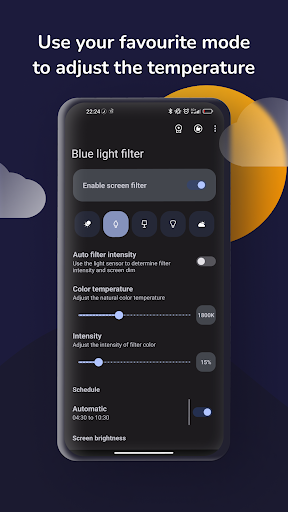
- Choose from pre-made filters or create your own to reduce blue light emission.
- Adjustable Color Temperature
- Modify your screen's warmth for optimal nighttime viewing.
- Automatic Scheduling
- Set the filter to activate automatically based on your preferred schedule.
- Ambient Light Adjustment
- Let the app adjust filter intensity based on surrounding light conditions.
- Per-App Filter Settings
- Customize filter settings for individual apps.
- Even Dimmer (Screen Dimmer)
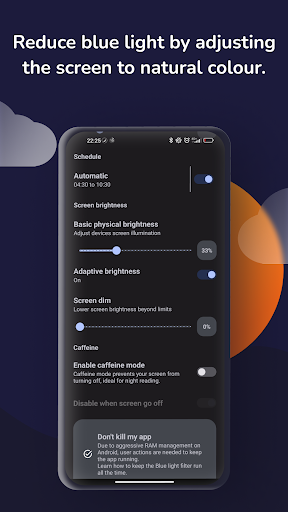
- Reduce screen brightness below the default minimum for dark environments.
- Caffeine Mode
- Prevent your screen from timing out during extended use.
Benefits:
- Enhanced Comfort
- Reduce eye strain during nighttime reading or browsing.
- Personalized Experience
- Tailor the app to suit your preferences and routines.
- Battery Efficiency
- Lower screen brightness can help conserve battery life.
Why Choose LumiGuard: Night Mode?
- User-Friendly Interface
- Intuitive controls make it easy to adjust settings on the fly.
- Privacy Focused
- Requires minimal permissions and respects your data privacy.
Make nighttime screen use more comfortable with LumiGuard: Night Mode.
Why LumiGuard Uses Accessibility Services API:
This enables the app to cover system views like the status bar, navigation bar, and lock screen. Required for screen filter functionality on Android 12+.
Your privacy is protected; LumiGuard doesn’t access screen content.