Photo to PDF - PDF Reader

Photo to PDF - PDF Reader Summary
Photo to PDF - PDF Reader is a ad-supported Android app in Tools by WH1546HHMM. Released in Apr 2024 (1 year ago). It has about 752.5K+ installs and 473 ratings with a 4.08★ (good) average. Based on AppGoblin estimates, it reaches roughly 61.1K monthly active users and generates around $<10K monthly revenue (0% IAP / 100% ads). Store metadata: updated Jan 9, 2026.
Recent activity: 23K installs this week (44K over 4 weeks) showing above average growth , and 2.00 new ratings this week View trends →
Store info: Last updated on Google Play on Jan 9, 2026 .
4.08★
Ratings: 473
Screenshots


App Description
All-in-one PDF reader: quickly read, search, edit and manage all your files.
📚 PDF Reader - Fast, Simple, Powerful
Read, edit, scan, and manage PDFs anytime, anywhere. Merge files, split pages, and convert photos to PDFs in seconds. Whether you're a student, a professional, or just someone who works with documents every day, this app makes all your PDF needs quick and easy, right on your phone.
Key Features:
📄 Smooth PDF Viewing – Open and read PDF files with a clean, easy-to-use interface.
📁 Smart File Management – Rename, delete, and organize your PDF files in one convenient place.
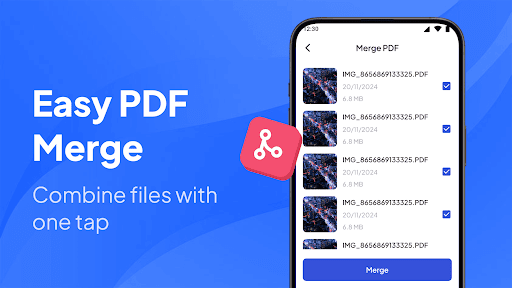
🔗 Merge PDF – Combine multiple PDFs into one in seconds.
🔀 Split PDF – Split a document into multiple files.
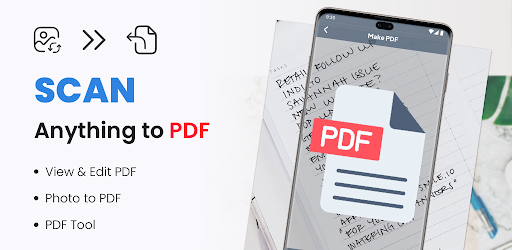
📸 Scan to PDF – Take a photo of any document and instantly convert it to PDF.
📧 Quick Sharing – Send files via email, chat, or social media with just a tap.
Why you'll love it:
✔ Keep your PDFs ready anytime, anywhere.
✔ Boost your productivity with powerful yet simple tools.
✔ Eliminate clutter and keep your documents organized.
PDF Reader is more than just a reader; it's your portable document center. Work more efficiently, learn more easily, and manage files more effortlessly, without a computer.