PDF Maker-Image To PDF

PDF Maker-Image To PDF Summary
PDF Maker-Image To PDF is a ad-supported Android app in Productivity by kirici. Released in Sep 2023 (2 years ago). It has about 330+ installs Based on AppGoblin estimates, it reaches roughly 23 monthly active users and generates around $<10K monthly revenue (0% IAP / 100% ads). Store metadata: updated Oct 2, 2023.
Recent activity: 9.00 installs this week (14 over 4 weeks) showing exceptional growth View trends →
Store info: Last updated on Google Play on Oct 2, 2023 .
0★
Ratings: 0
Screenshots



App Description
Convert your images to PDF quickly. Easy and fast JPEG to PDF converter.
Are you looking for an application that will free Pdf convert to images and other documents to ?PDF maker-Image to PDF is exactly the application you are looking for.
With this application, you can convert your images and all documents to PDF..It is easy to use, user friendly and %100 free.
Try PDF Maker - Image to PDF Now!
With PDF Maker-Image to PDF;
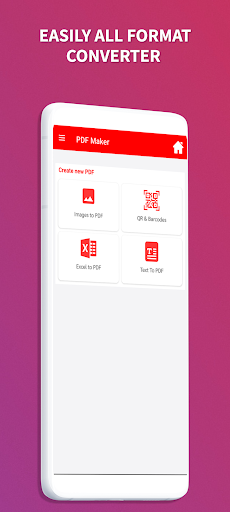
►PDF Converter-PDF Scanner
🌟 Convert Image to PD:Convert JPEG to PDF, PNG to pdf convert photo to pdf
🌟 Convert PDF to JPG: You can convert your PDF documents to image documents.
🌟 Documents Convert: You can convert Word, Excel, Powerpoint files to PDF (DOC, DOCX, XLSX, XLS, XLSM, TXT, PPT,..)
►PDF Viewer
🌟 You can view, sort, merge and share the pdf files you have created.
►Add to Created PDF
🌟 Pasword Protection: You can add and remove passwords to the PDF file
🌟 Add Text file: You can add Text documents to PDF documents.
🌟 You can rotate pages.
🌟 You can add Watermark on PDF file
🌟 You can add images to the PDF file
►Edit PDF
🌟 Merge PDF: You can merge your PDF documents..
🌟 Split PDF: You can split your PDF documents
🌟 invert PDF: You can invert your PDF documents
🌟 Compress PDF: You can compress your PDF documents to smaller sizes.
🌟 Remove Duplicate Pages: You can remove Duplicate PDF Pages
►Advanced Features of the PDF Maker-Image to PDF App
🌟 Edit Images
🌟 Image Compression
🌟 Filter Images
🌟 Set Page Size
🌟 Set Image Scale Type
🌟 Set Border
🌟 Rearange Images
🌟 Create grayscale PDF
🌟 Show PDF Page Numbers
🌟 Set Page Color
🌟 Set Font Color
🌟 Set Font family
🌟 Set Font Size