Photos to PDF Converter


Photos to PDF Converter Summary
Photos to PDF Converter is a ad-supported Android app in Tools by iSung. Released in Oct 2023 (2 years ago). Store metadata: updated Jul 14, 2025.
Store info: Last updated on Google Play on Jul 14, 2025 .
0★
Ratings:
Screenshots

App Description
Images, JPG, PNG & more to PDF. Fill PDF editor digital signature app PDF Maker
Easily convert photos to PDF on mobile with Photos to PDF Converter – your fast, secure, and free PDF converter app. Whether you want to scan photos and save as PDF, combine multiple photos into one PDF, or send multiple images as a single PDF via email or WhatsApp, this app makes it simple and reliable.
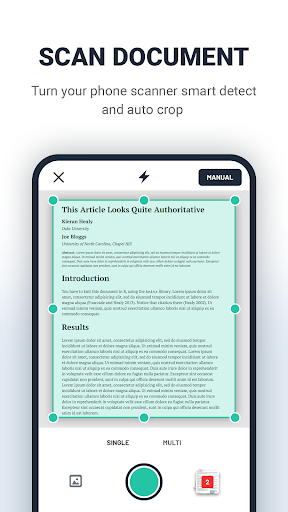
Our Photo to PDF Converter app is the easiest way to turn any image to PDF in seconds. Use your camera as a document scanner or import from your gallery to create high-quality PDF files. The built-in photo scanner PDF tool lets you capture, edit, crop, and save instantly. You can also merge PDFs, split PDF documents, unlock PDF, and password protect PDF for secure management.
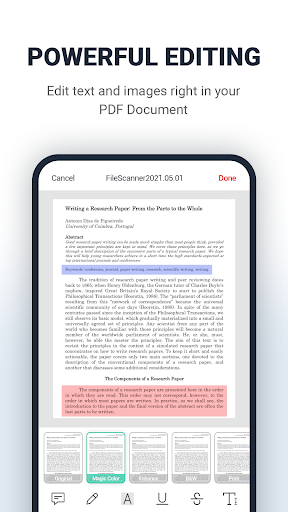
More than just a converter, Photos to PDF Converter works as a powerful PDF Editor. Use PDF markup tools like underline, highlight, add watermark, and Text in PDF files, insert a PDF signature, or even create new PDF page by yourself.
As a complete PDF Reader – PDF Viewer all in one, the app supports reading all document file formats, lets you scroll PDF document pages, and offers multiple view modes: dark mode & light mode for the best reading experience. You can also print PDF files from your mobile phone or use PDF export to share anywhere.
Use your phone to scan documents, ID cards, passports, business cards, QR codes, and more. Save them as high-quality PDFs or JPGs with advanced editing tools and AI-powered OCR to extract and edit text instantly.
► Smart Scanning Modes
● Document – Digitize contracts, receipts, notes, books, or any paper in seconds.
● ID Card & Passport Mode – Scan both sides of IDs and passports in perfect alignment.
● QR Code Scanner & Generator – Scan or create QR codes quickly, and export them as PDF or image.
► Edit & Annotate
● Add Text – Insert text anywhere in your PDF.
● Sign Documents – Add your eSignature to any document.
● Watermark PDF – Protect files with logos, names, or confidential tags.
● Markup Tool – Highlight text, draw shapes, and annotate files.
● Merge & Split PDFs – Combine multiple PDFs or split pages with ease.
● Insert Pages or Images – Add new pages or extra images to existing PDFs.
● OCR (Optical Character Recognition) – Instantly extract editable, searchable text from scanned documents or images.
► Convert, Export & Share
● Image to PDF Converter –