Bank Statement - PDF to XLS


Bank Statement - PDF to XLS Summary
Bank Statement - PDF to XLS is a ad-supported, with in-app purchases Android app in Tools by Talk to Stranger. Released in Oct 2024 (1 year ago). It has about 12.4K+ installs Based on AppGoblin estimates, it reaches roughly 430 monthly active users and generates around $<10K monthly revenue (40% IAP / 60% ads). Store metadata: updated Jan 30, 2026.
Recent activity: 42 installs this week (202 over 4 weeks) showing below average growth View trends →
Store info: Last updated on Google Play on Jan 30, 2026 .
0★
Ratings: 0
Screenshots


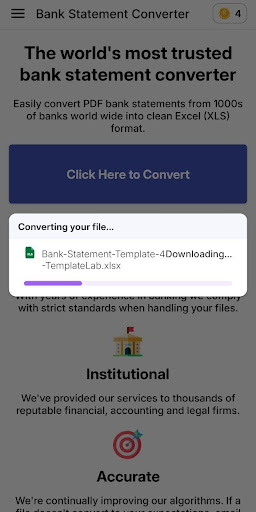
App Description
Convert Your Bank Statements from PDF to Excel Instantly
Easily Convert Your Bank Statements from PDF to Excel with Bank Statement - PDF to XLS!
Tired of manually entering bank transactions into Excel? With *Bank Statement - PDF to XLS, you can quickly and accurately convert your **PDF bank statements* into Excel files. Organize your finances effortlessly!
Key Features:
- *PDF to Excel Conversion: Convert your **PDF bank statements* to *Excel (XLS/XLSX)* in seconds.
- *Accurate & Clean*: Get precise conversions with all your bank data neatly organized.
- *Simple & Fast*: Just upload your PDF and convert it instantly with one tap.
- *Secure*: Your financial data is handled privately and securely on your device.
- *Multi-Page Support: Convert multi-page **PDF bank statements* into a single Excel file.
- *Supports All Banks*: Compatible with bank statements from any bank.
### How It Works:
1. *Upload Your PDF: Select the **PDF bank statement* you want to convert.
2. *Convert to Excel*: Tap the convert button and get an organized Excel file instantly.
3. *View & Share*: Open, edit, and share your Excel file for easy financial management.
Why Choose Bank Statement - PDF to XLS:
- *Save Time: Automate the conversion of **PDF bank statements* to Excel for easy analysis.
- *Perfect for Everyone*: Ideal for accountants, businesses, or individuals who want to keep track of finances.