DesignEvo - Logo Maker


DesignEvo - Logo Maker Summary
DesignEvo - Logo Maker is a with in-app purchases Android app in Business by PearlMountain Technology Limited. Released in Apr 2018 (8 years ago). It has about 3.3M+ installs and 5.8K ratings with a 3.23★ (mixed) average. Based on AppGoblin estimates, it reaches roughly 29.5K monthly active users and generates around $<10K monthly revenue (100% IAP / 0% ads). Store metadata: updated Apr 19, 2018, version 1408.
Recent activity: 39 installs this week (220 over 4 weeks) showing steady growth , and 1.00 new ratings this week View trends →
Data tracking: SDKs and third-party integrations were last analyzed on Mar 29, 2026. The app's network data flows (API traffic to/from the app and its SDKs) were last crawled on Feb 19, 2026.
Store info: Last updated on Google Play on Apr 19, 2018 (version 1408).
SDKs, Trackers & Permissions
DesignEvo - Logo Maker was last scanned for SDKs 2026-03-29. Below is the overview of third party companies detected in the app. The full list of raw SDKs, app permissions and unknown SDKs is available here.
 Square
 Google
 Firebase
App Details
App Store
Ads & App-Ads.txt
AppGoblin SDK Scans
3.23★
Ratings: 5.8K
Screenshots


App Description
Unleash your creativity to create custom logos from 3500+ templates in minutes.
Logo Design at Your Fingertips!
DesignEvo is an easy and fast app that lets you create stunning logos in the palm of your hand. With 3500+ customizable logo templates, 100+ fonts, lots of graphics and powerful editing tools, you can turn your ideas into a compelling and unique logo in minutes, even if you have no professional design skills.
Whether you are looking to create an amazing logo for using on your website, social media, company wall, email signature, letterhead, business card, stationery, or T-shirt, DesignEvo helps spark your inner creativity. It satisfies everyone from newbies to professionals.
-----------------------------------------------
HIGHLIGHTED FEATURES
-----------------------------------------------
• 3500+ professionally designed logo templates in different categories such as Abstract, Animal, Business, Fashion, Letter and Technology.
• Lots of preset graphics including Badge, Decoration, Line, Shape, Banner and Symbol.
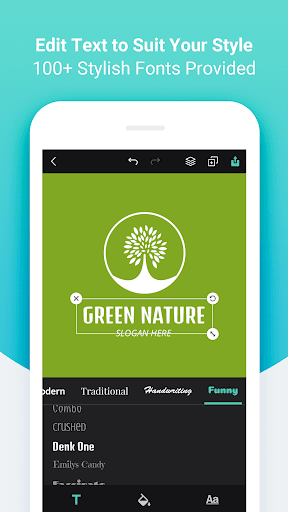
• 100+ hand-picked fonts in Bold, Modern, Traditional, Handwriting and Funny styles.
• Adjust font size, color, spacing, alignment, uppercase, opacity, curved effect and more to create unique typography artwork.
• Adjust opacity, color, flip & mirror effect for the selected graphic.
• Customize background with a preset solid color or add custom color to use.
• Undo/redo every step of your logo editing.
• Manage layers for the selected object - move it forward or backward.
• Freely move, resize and rotate any objects with your fingers.
• Duplicate or delete any objects at will.
• Save your logo as JPG, PNG or transparent PNG images.
• Share your logo via email, message or other favorite social media apps.