Step Counter - Pedometer


Step Counter - Pedometer Summary
Step Counter - Pedometer is a ad-supported Android app in Health And Fitness by Tiny Rock Studio. Released in Feb 2023 (3 years ago). Store metadata: updated Apr 20, 2023.
Store info: Last updated on Google Play on Apr 20, 2023 .
0★
Ratings:
Screenshots


App Description
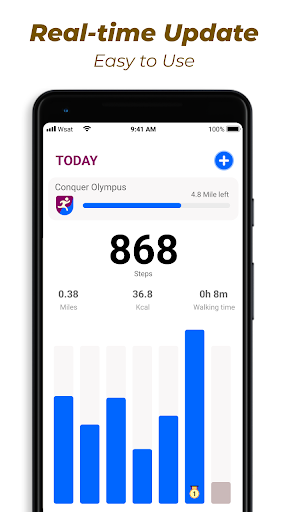
Track your daily steps, calories, walking distance and duration.
Pedometer automatically and accurately tracks your daily steps, calories, walking distance and duration using the built-in advanced exercise tracker. No GPS tracking greatly saves your battery. Track your offline walks without Wi-Fi.
❤ Easy to use
This free pedometer is very easy to use, you just need to tap the start button, no matter your phone is in your hand or in your pocket, even if the screen is locked, it will automatically start counting your steps.
😊100% Free and Private
Completely free pedometer app for all ages! All functions can be accessed without login, your data is 100% safe and will never be disclosed to any third party.
🎉 Pause and resume
You can pause background step tracking to avoid automatic step counting while driving, and resume it at any time. The sensitivity of the built-in sensor is also adjustable for more accurate step counting.
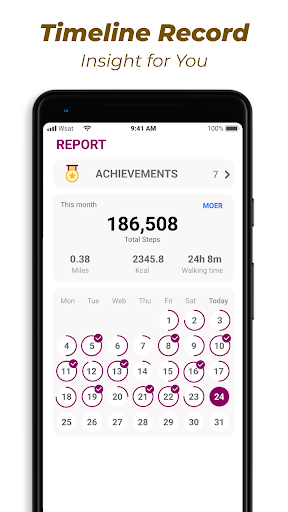
💗Graph by week/month/day
Pedometer tracks all your walking data (steps, calories, duration, distance, speed) and represents them in graphs. You can view data by day, week, month or year to check your exercise trends.
Important hints
●In order to ensure the accuracy of steps, please enter correct information in the settings, which will be used to calculate walking distance and calories burned.
●You can adjust the sensitivity according to the situation so that the pedometer can count steps more accurately.
●Due to power-saving processing of some devices, these devices will stop counting steps when the screen is locked.
●Some older devices cannot count steps when the screen is locked. This is not a program error. Sorry, there's nothing we can do about it.