Pet on Desktop - Pet on Screen

Pet on Desktop - Pet on Screen Summary
Pet on Desktop - Pet on Screen is a ad-supported, with in-app purchases Android app in Entertainment by SunGame Global. Released in Apr 2025 (1 year ago). It has about 6.6K+ installs Based on AppGoblin estimates, it reaches roughly 847 monthly active users and generates around $<10K monthly revenue (36% IAP / 64% ads). Store metadata: updated May 10, 2025.
Recent activity: 36 installs this week (117 over 4 weeks) showing below average growth View trends →
Store info: Last updated on Google Play on May 10, 2025 .
0★
Ratings: 0
Screenshots


App Description
Your screen is like a house for your Pets with Pet on Desktop - Pet on Screen
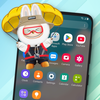
Pet on Desktop - Pet on Screen - Pets Simulator allowing you to add cute cartoon characters, pets, art toy ... on your phone screen.
They can move, fly, dance on the screen.
You want to have cartoon characters flying and jumping on your phone screen?
Bring the animal world to your phone screen:
🦄 Customize cartoon characters: Choose your favorite character, change the character's actions to create uniqueness.
🐾 Cute Animals: 🐶 lovely dogs, 😾 cute cats, 🐰naughty parrots or cartoon characters: dragons, pirates 🐙 and more 🐧 🐻 🐤 🐭 🐯 🐽 🦚 🦋 🐰 🐍 🐸 and more.
🦚 Interactive with your Pet: Swipe, tap your pets to see their funny reactions.
🐙 Customization Options: Choose styles, action, and size, speed for your pets.
📱 Always Active: Pets appear on your home screen and other apps without interruption. Don't worry about excessive battery drain.
🐰 Lively Effects: Smooth animations make every your moment entertaining.
Download Pet on Desktop - Pet on Screen now and enjoy fun moments with your phone.
- ACCESSIBILITY PERMISSION: To enable Pet on Screen, please allow Accessibility services. The service is only used to allow this app to draw on the phone's home screen and status bar.
We do not collect or share any personal or sensitive data using this service.
The application commits not to collect or share any user information about this accessibility right.
Watch video demo to setting permission: https://youtu.be/eOA1xDxBBNs