GPS Map Camera: Photo Geo


GPS Map Camera: Photo Geo Summary
GPS Map Camera: Photo Geo is a ad-supported, with in-app purchases Android app in Maps And Navigation by Apps Creed.Tech. Released in Dec 2024 (1 year ago). It has about 197.7K+ installs Based on AppGoblin estimates, generates around $<10K monthly revenue (57% IAP / 43% ads). Store metadata: updated Mar 4, 2026, version 18.
Recent activity: -87729 installs this week (18.6K over 4 weeks) showing exceptional growth View trends →
Data tracking: SDKs and third-party integrations were last analyzed on Apr 12, 2026. The app's network data flows (API traffic to/from the app and its SDKs) were last crawled on Jul 15, 2025.
Store info: Last updated on Google Play on Mar 4, 2026 (version 18).
GPS Map Camera: Photo Geo was last scanned for SDKs 2026-04-12. Below is the overview of third party companies detected in the app. The full list of raw SDKs, app permissions and unknown SDKs is available here.
 Firebase
 Airbnb Engineering
 Google
 Bumptech
 Square
 AdMob
AdMob Facebook
 Pangle
 ByteDance
0★
Ratings: 0
Screenshots

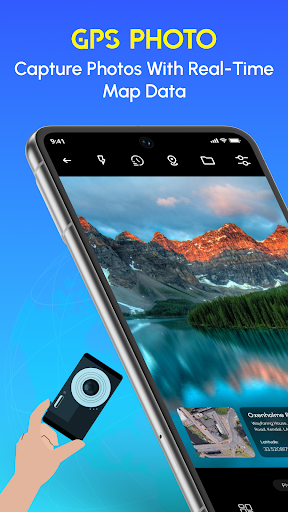
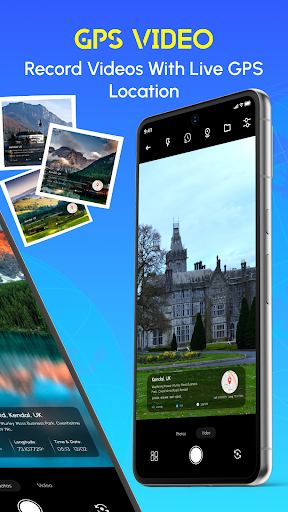
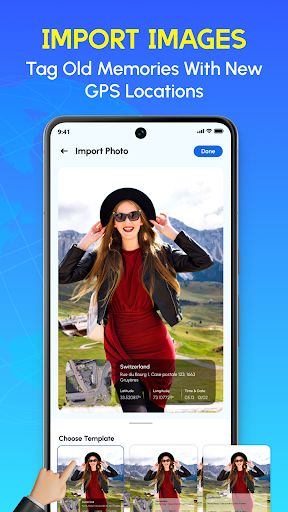
App Description
GPS camera used for time stamp photos Geotag make your trip memorable.
Capture photos and videos with real GPS location and time stamps using GPS Map Camera.
Photo Date Stamp helps travellers, outdoor enthusiasts, and professionals document their activities with accurate time and location details.
🎥 GPS Map Camera Video
Record videos with accurate GPS, date, time, and address tagging.
📍 Key Features of Time Stamp Photos App:
• Geotag Pic: Automatically embed GPS coordinates, location names, and even altitude to your pictures.
• Customizable Stamps: Personalize your photos with dynamic stamps that display date, time, and address information.
• Accurate Location Details: Get accurate location details and easily tag your photos.
• Multiple Map Styles: Choose from a variety of map layouts, including satellite, terrain, and street view, to match your style.
🎯 Why choose the GPS Map Camera Photo tagging app?
- Travel Vloggers & Bloggers: Improve your stories with accurate location details.
- GPS Field Camera: Record geotagged data efficiently for professional documentation.
- Outdoor Lover: Relive your camping trips, hikes, and travels with exact memories.
- Real Estate Professionals: Capture property images with address and location details for easy reference.
How to Use Time Stamp Photos?
1: Open the app and enable location permissions.
2: Capture a photo using the in-app camera or select one from your gallery.
3: Customize the GPS stamps to display the data you need.
4: Save, share, or organize your geotagged photos effortlessly.
🌍 Geotag Camera Perfect for Every Event:
From sightseeing tours to property listings, GPS Map Camera: Photo Geo makes every photo more meaningful. Plan your trips better and cherish every moment with the added context of where and when it happened.
Turn every photo into a memory with GPS Camera: Geotag Images. Easily add accurate location details to your photos.
📤 Share and Save Memories
Share your geotagged photos with friends or save them on your device. Keep track of where your memories were captured.
Download GPS Map Camera: Photo Geo today and bring your photos to life with accurate location.