Photo To Video Creator / Maker


Photo To Video Creator / Maker Summary
Photo To Video Creator / Maker is a ad-supported Android app in Productivity by TheSportsBuzz. Released in Mar 2021 (5 years ago). It has about 379+ installs Based on AppGoblin estimates, it reaches roughly 67 monthly active users and generates around $<10K monthly revenue (0% IAP / 100% ads). Store metadata: updated Aug 24, 2023.
Recent activity: 50 installs this week (61 over 4 weeks) showing exceptional growth View trends →
Store info: Last updated on Google Play on Aug 24, 2023 .
0★
Ratings: 0
Screenshots



App Description
Create or Make Video form Phone Images and Photos Gallery.
Photo TO Video Creator is Application to Convert any Photos and Images to Video with set Music and time duration and also many more good feature.
Video Maker is used for creating video from friends, family or collage images.
Creating Slideshow using your Photos and Images.
Features of Photo To Video Creator or Maker Application
✔️ Photo To VIDEO : Convert all Photos or Images into Video Files.
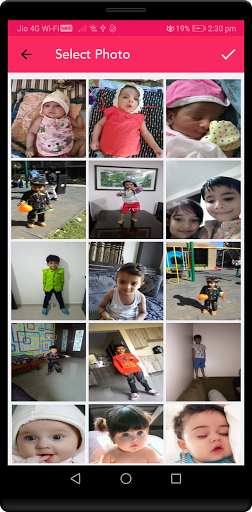
✔️ Photo Gallery: Collection Of All Images and Photos for Selection for Video Creator.
✔️ SET FRAMES : There are small Collection of Frames. which use for creating Video.
✔️ SET Music : select music from your collection and set on creating video.
✔️ Set Time frame for Video.
✔️ MY VIDEO : Collections of All Videos List Created by You.
✔️ SHARE: Created Video Share to all Social Media like Facebook, Whatsapp, Twitter, Instagram etc..
✔️ FREE: Photo To Video or Slideshow Creator is totally free to users.
✔️ User-Friendly: Easy & simple to install and use For Users.
✔️ SAVE ON FOLDER: All Videos created by a user is Store in Their Smartphone Folder at File Manager.
YOU CAN SUPPORT US BY
* Rate Us on Google Play.
* If you like then share it. If need any improvement then please suggestions/feedback.