Retro Arcade Console 10 in 1


Retro Arcade Console 10 in 1 Summary
Retro Arcade Console 10 in 1 is a ad-supported, with in-app purchases Android app in Arcade by Plus Games Studio. Released in Feb 2023 (3 years ago). It has about 16.8K+ installs and 33 ratings with a 4.22★ (good) average. Based on AppGoblin estimates, it reaches roughly 725 monthly active users and generates around $<10K monthly revenue (52% IAP / 48% ads). Store metadata: updated May 25, 2026.
Recent activity: 95 installs this week (380 over 4 weeks) showing below average growth View trends →
Store info: Last updated on Google Play on May 25, 2026 .
4.22★
Ratings: 33
Screenshots

App Description
Enjoy the nostalgia of retro portable game console! Realistic Simulation!
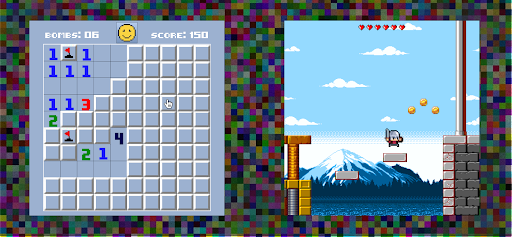
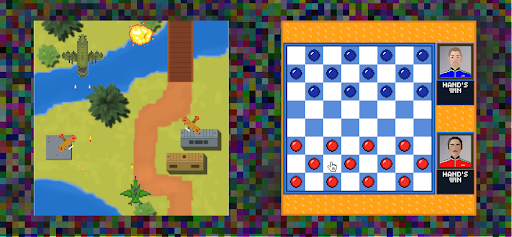
Retro Arcade Console is a nostalgic simulator of old 16-bit games. Turn your phone into a portable console from the late 1990s or early 2000s.
Retro Arcade Console 10 in 1 is an app that will take you back to the carefree past when you could play arcade games on your portable console all day or all night without even thinking about time or troubles.
Has it ever happened to you that you are sad, remembering childhood trouble-free years and how you played good old games all day long? If yes, then it won't hurt you to have a retro simulator on your phone.
Whether you had handheld game console or classic home video game console, 50 in 1, 100 in 1, 1000 in 1 or just a couple of games, you'll still find Retro Arcade Console a satisfying purchase.
Dozens of atmospheric electronic retro compositions as soundtracks, various pixel graphics, 2 themes, 16-bit animations and clear control mechanics. Enjoy the nostalgia!
For complete immersion, ordinary touch control is disable in a game.
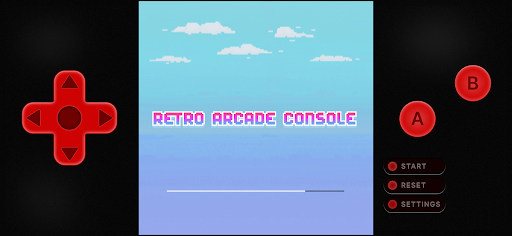
Control your console using buttons along the edges of the screen.
Cross for navigation, buttons A/B for intra-game actions.
Use the button Start to initiate the game and for pause,
Reset for getting back to the main menu,
Settings for opening and closing console settings,
Just like in your childhood!